
Professional Tech
7 Best Health Tech Gifts for Seniors (Useful, and Doctor-Approved)


Let’s be truthful here. Old age comes with some physical challenges. Things like frequent falls, vision, and hearing impairments are common. To help in such situations, seniors need tools that can make life easy for them. What gift do you think they need? So, we shall be discussing some of the best health tech gifts for seniors.
Technology has come to stay. Both the young and the old need it. For seniors, they don’t need a tool that can complicate issues, but something that will help them stay independent and live happily. The right technology can avert emergencies and serve as a reminder, especially for medication.
Here are seven elderly tech gadgets that we have carefully considered. Each part explains what it does, who it’s for, and what to look for before you buy.
Why do seniors need health tech gifts?
Not every old person likes to stay in assisted care homes. Some need their privacy. This is good; however, it has a few disadvantages. Without support, staying alone may be risky. We need people around, especially at an older age. But then, a few technologies can help.
Frequent falling is common among people older than 65 years. It could be terrible that some can lead to multiple injuries that may result in death. How can we prevent this? They need a support system, and one we can suggest is a device that can fill in those gaps.
The best health tech gifts for seniors can minimize these risks. They protect them without acting like they are monitored. Now, let’s look at some technology gifts you can support a senior with.
7 Best Health Tech Gifts for Seniors
Smartwatch With Fall Detection
/product/52/5906814/1.jpg?1671)
Examples: Apple Watch SE, Samsung Galaxy Watch6, Fitbit Sense 2
Falling at old age may be inevitable; however, frequent falling is risky. A minor fall can cause dislocation or death. In this case, gifting a senior a smartwatch with fall detection is a fantastic idea. A smartwatch with fall detection monitors motion patterns.
If there is a hard fall and no response from the user, it automatically dials emergency services. It also shares the location with selected contacts. Most models monitor heart rate on a continuous basis. Some track blood oxygen and irregular rhythms.
For elderly people, the most sought-after feature is automatic fall detection. The watch also contacts emergency services if it detects a hard fall and the wearer doesn’t respond. Seniors wear this smartwatch at hoe or outside their home and it can alert preselected family members.
The Benefits
- Automatic notification to the emergency contact
- Heart rate monitoring in real time
- GPS location sharing
- Simple wrist dialing
When it comes to gift recommendations for the best health tech for seniors, a smartwatch is high on the list for its ability to monitor and call for help all from one small device. Purchase This If You Want to Monitor Your Health in a Single Unit
Rather than multiple trackers, this device combines heart data, emergency calls, and GPS within one wearable.
What to Look For
Choose a model with:
- With large display
- Strong battery life
- Simple interface
- Must have simple emergency setup process.
Related article: Telehealth Tech Problems That Ruin Appointments and How to fix Them Permanently
Best Health Tech Gifts for Seniors: Smart Medication Dispenser
Examples: Hero, MedMinder
It’s more difficult to manage medications as one get older. Some elderly people take five or more prescriptions daily. Even younger adults skip their medication, talk more of seniors. With a smart pill dispenser, all these would be history.
A smart-pill dispenser sorts pills and dispenses the right dose at the right time. It locks the remaining drug to prevent a double dose. An alert is triggered from the device with sound and light. In the event the caregiver misses a dose, he or she will be notified via an app.
Not following medication as prescribed by a doctor worsen an ailment. A dispenser takes the guesswork out and creates a routine.
Benefits
- Automatic sorting and dispensing
- Alerts if doses are missed
- Caregiver alerts
- Fewer medication errors
What to Consider before you buy
- Cost of monthly subscription
- Pill capacity
- Battery backup support
- App familiarity for caregivers
One of the best health tech gifts for seniors, this device makes managing your health each day a bit easier.
Voice-Activated Assistant With Display
Examples: Amazon Echo Show, Google Nest Hub
It’s not abnormal to see an elderly person struggle to use a smartphone. Small fonts, difficult interface and slow operating systems are just too technical for them to use.
A voice assistant responds to vocal commands. Elderly people can video call, set reminders, check the weather, or even turn off lights without using a keyboard. “Call my son” or “Remind me to take my pills at 8 p.m.” Seniors can say, “Call my son,” or “Remind me to take my pills at 8 p.m.” The device reacts immediately.
With this health tool, they can make video calls without touching operating any button. Sounds great right? Interestingly, a family member can drop in to check on the person.
Benefits
- Hands-free calling
- You can get reminders about your medication.
- Calendar reminders
- Smart home control
- Easy-to-read screen
What to Check For
- Clear audio quality
- Adjustable text size
- Privacy settings
- Wi-Fi reliability
Medical Alert System With GPS
Examples: Lively Mobile+, Medical Guardian
A medical alert system can provide immediate connection to professional emergency operators at any time of day or night. How it works is that the user will press a key, then it connects. It uses a GPS technology, which helps responders to locate the person wearing it. Most are water-resistant. This guarantees security in higher-risk areas like the bathroom.
Why GPS Is Important
It is important because traditional home systems work only inside. GPS systems move with the user. Active seniors need both indoor and outdoor protection.
Key Features
- One-touch emergency assistance
- Nationwide Service Coverage
- Water‐resistant Design
- Two-way Talk for Communication
What to Check Before Buying
- Monthly monitoring fee
- Cellular coverage area
- Waterproof rating
- Repute of Response Time
If you’re looking for a gift to give to or for an elderly loved one, and you want to make sure it’s actually useful, this should be on your list of the best health tech gifts for seniors.
Read also: Best Medical Alert Systems for Seniors: Top Picks for Safety
Smart Digital Photo Frame
Examples: Aura Mason, Skylight, ViewClix
Health isn’t just about the body. Emotional health is important. A digital photo frame connects via Wi-Fi to a cloud-based service where family members can upload photos remotely. New pictures arrive automatically. No special knowledge is needed once the system is up and running.
Grandchildren’s birthdays, holiday moments, daily smiles all in real time on display.
Why It Helps
Did you know that looking at family photos regularly can boost mood and mental engagement? At old age, it reminds them of the past years all beaming with smiles as they are now old.
What to Check Before Buying
- Make sure that it has a clear interface or screen
- Rotates automatically
- Remote upload easily
- Easy to set up
This gift doesn’t monitor vital signs, but it promotes mental health. So it is a fantastic health tech present for elderly people, especially those who live alone.
Smart Video Doorbell
Example: Ring Video Doorbell
Old people are vulnerable to attacks. With the alarming rates on robbery and other social vices targeted at seniors, it will be wise to get a smart video doorbell for a loved one. Apart from the danger, rushing to check who is at the door can make them fall especially those suffering from mobility problems.
A smart video doorbell for seniors enables them to see who is at their door and talk to the visitor without opening the door. The live stream is viewable on a phone or smart display and the Two-Way Audio is safe for communication.
Security Features
- Real-time video monitoring
- Motion alerts
- Remote viewing
- Reduces
What to look for before you buy
- Clear video resolution
- Night vision quality
- Subscription storage fees
- Supported display device.
Smart Tracking Tags
Examples: Apple AirTag, Tile Mate
Smart tracking tags attach to everyday objects. The associated app indicates the last seen position. Some tags emit a sound to assist in finding objects nearby.
Benefits
- Locate items quickly
- Minimize frustration
- Simple to set up
- Energy-efficient (long battery life)
What to check before you buy
- Phone compatibility
- Ease of battery replacement
- Coverage range
- Is it user-friendly?
How to Choose the Best Health Tech Gifts for Seniors

Finding the best health tech gifts for seniors isn’t about picking the priciest gadget. What’s really needed is the right health tech product for the right health tech problem. Not all seniors need every device. Consider:
Determine what the primary risk is first.
Don’t start with the features. Begin with the top worries.
- Falls or balance concerns: Many falls
- Missed medications
- Social isolation
- Concerns about home security
- Frustrations related to memory
How to Choose Between Wearable and Home-Based Devices?
Wearables such as fall-detection watches and GPS alerting systems go with the user. They prevent indoor and outdoor falls.
Video doorbells and smart displays are examples of home-based units. They enhance security and communications but are of no assistance in transport-related situations. If you spend a lot of time outside the home, consider effective protection that goes mobile.
One-time vs. monthly subscription cost comparison
Check the following:
- GPS medical alert systems usually have a monitoring fee.
- Some dispensers for medication have fees for using their app.
- Some smart doorbells have a cloud storage subscription.
- Calculate the annual expense before you buy.
Check Compatibility Before Checkout
If it is affordable and useful, users will continue to use the device. Some products require:
- iPhone or Android pair
- Reliable Wi-Fi connection
- Cellular service
- Certain operating system
Go for Big Screens, and something easy to use.
The top health tech gifts for seniors should have:
- Large fonts
- Clear audio
- Few steps
- Physical buttons or easy voice commands
Read Verified Reviews From Caregivers
Look for reviews from users that have used the device for their parents or grandparents. As they are living with it, their experience reports highlight usability in everyday life, battery life issues, or quality of customer service.
Features vs. Reliability
- Extra sensors and fancy analytics are very impressive. But reliability is more important.
- Go for a fall detection instead of an advanced fitness tracking device.
- The best health tech gift ideas for seniors should focus on safety, simplicity, and reliability.
Common Mistakes to Avoid
- Buying too complex a device
- Ignoring the subscription fee
- Skipping the training and setup
- Opting for small displays
- Don’t forget about Wi-Fi requirements.
What Makes These the Best Health Tech Gifts for Seniors
What the best health tech gifts for seniors have in common:
- Simple setup
- Clear display
- Good customer service
- Good safety record
- Not too technical
Conclusion on the Best Health Tech Gifts for Seniors
When it comes to finding the best health tech gifts for seniors, ask this simple question: what problem do you need the device for?
And if you’re concerned about falls, get a smartwatch with fall detection. So, it depends on the issue you want to fix. The most important thing is to get something that works and beneficial to a senior.
Note that good technology supports independence. It shouldn’t be overwhelming. It just becomes part of the background of people’s daily lives, quietly making things safer and easier.
Check out in-depth comparisons, essential features, price guides, and user insights to find an ideal match for your loved one.
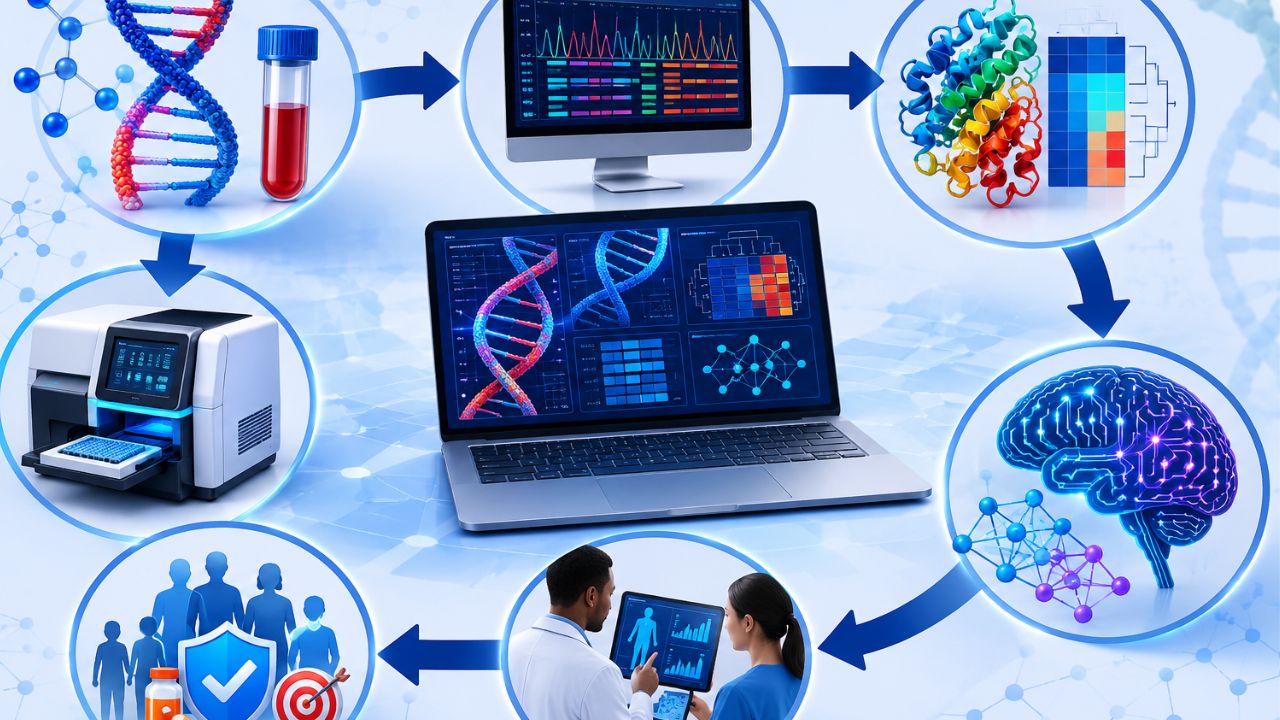
Nowadays, biological science is impossible without collecting and analyzing data on genes, proteins, molecular structures, cells, etc. Researchers use different tools, methods, and models to obtain relevant and reliable conclusions. They allow scientists to analyze huge amounts of information quickly. Bioinformatics tools help analyze, compare, and interpret data to make the process more efficient.
With biology becoming more about data, it is now augmenting the work of lab technologists and research teams. In addition, they help scientists manage large datasets, test ideas faster, and produce accurate results.
What Are Bioinformatics Tools?
A bioinformatics tool refers to a computer software program or an internet-based platform that stores, analyzes, or interprets biological data. They help solve biological problems that are difficult to solve manually.
How a tool supports biological data processing
Biological data is obtained from biological research and has large amounts of information. Tools assist in processing the data to obtain meaningful conclusions on biological functions such as genetics, proteomics, and genomics. Some of the features useful in biological data processing include:
- Sequence alignment: Eases comparison of sequences such as DNA, RNA, and protein sequences, among others.
- Visualization tools: Enable visual representation of biological data
- Database search: Supports querying of databases to obtain information that relates to a particular gene, protein, or sequence.
- Statistical analysis: Helps to carry out statistical tests to discover significant aspects of the data.
- Annotation: Adds useful information about genes or proteins.
Use Cases
Bioinformatics is used for several purposes, like
For genomics:
- It can be used to find mutations and variants.
- Predict genes and gather genomes
- Study inherited diseases and cancer biomarkers.
For proteomics:
- Analyzes and classifies proteins
- Study their structure and function.
- Compare their presence in different samples.
For systems biology:
- It is used to model interactions between genes, proteins, and pathways.
- Study networks of these interactions.
- Analyze the entire system.
Why Bioinformatics Tools Are Important Essay
To reduce the time on calculations and minimize errors, scientists use different computer software for data analysis and visualization.
Such programs help to achieve more, such as the following:
Accurate and faster results
These programs allow you to reduce the time of calculations, which is vital when working with large data.
Also, computer software helps to reduce errors associated with manual analysis. A properly configured program will always give the same result for the same data input.
The analysis of data using computer technologies helps reveal patterns quickly. In addition, scientists can use programs to perform repetitive operations, such as aligning DNA sequences, detecting variants, and visualizing data.
These operations allow scientists to conclude the study object under investigation.
For example, the analysis of biological sequences that uses such programs can perform the following operations:
- Sequence alignment
- Variant detection
- Gene annotation
- Data visualization
Also, by automating repetitive tasks, scientists can analyze and interpret results rather than performing routine tasks.
Better Handling of Large Sequence Datasets
Sequence data are large in size. A project can generate millions of reads, which can be hard to analyze using spreadsheets or manual analysis. However, software can organize, filter, and process the data, which allows one to handle large files easily. E.g.:
- High-throughput processing handles large volumes of reads.
- Database searching can identify the sequences
- Quality control filters the data and removes any unnecessary parts.
- Storage and indexing allow for faster access to the data.
Know that the size of the sequence data is not the only consideration. Its structure also needs to be controlled, which is necessary both for day-to-day operations and for long-term storage.
Improve Experimental Design and Workflows
With the right tools, a scientist can decide on what to do in the experiment, how to structure the experiment, and what controls to use.
In the same way, one can also make their own work easier by using tools such as:
- Primer design
- Automation of frequently used processes
- Various simulations
- Designing pipelines for the data
Support for Reproducible Research
A scientific study should be able to be reproduced, because without that ability, such a study cannot provide evidence.
The following functions contribute to the creation of reproducible research:
- Scripting the analysis process to ensure consistency and control
- Version control to track edits and collaborate
- Sharing research pipelines to let others repeat or modify an experiment
- Analysis tools that use standard file formats to help with file sharing
Types of Bioinformatics Tools Essay
Researchers apply various types of bioinformatics tools to study biological data. These include software packages that enable scientists to identify particular DNA sequences, predict protein structures, and perform extensive database searches.
These types of bioinformatics tools are useful because they make data analysis easier, more convenient, and take less time.
The main types are:
Sequence Analysis Tools
Sequence analysis tools assist researchers in analyzing DNA, RNA, or protein sequences. The tools help determine genes’ location on chromosomes, compare particular organisms’ genes, and identify mutations.
Examples
- BLAST compares a query sequence with a database sequence.
- Clustal Omega enables multiple alignments of DNA and protein sequences.
- FASTA helps find similar sequences.
- MAFFT performs multiple sequence alignment.
Features
- Identify related sequences
- Align several sequences
- Find conserved sequence areas.
- Compare protein and gene sequences.
Uses
- Find unknown genes with known ones.
- Compare genes to understand evolution.
- Find mutated areas for further treatment.
- Analyze plenty of sequences.
However, there is a major drawback. Sequence analysis tools only allow analyzing sequences. So, when researchers want to predict proteins’ structure and work, they may use structural analysis tools.
Structural Analysis and Modeling Tools
Structural analysis tools help predict protein structure and study it. The shape of a protein determines its function, which means that scientists need to identify how the biomolecule behaves.
Examples
- PyMOL permits visualization and manipulation of protein structures.
- SWISS-MODEL guides researchers to determine protein structure through homology modeling.
- RasMol provides molecular graphics to study biomolecules.
- Chimera enables visualization and analysis of biomolecular structures.
Features
- Construct 3D structures and models.
- Display atomic surfaces
- Compare protein structure
- Get to know amino acid sequences of proteins.
Uses
- Predict protein structure
- Design medications
- Interpret ligand binding
- Learn the relationship between the structure and function of biomolecules.
Structural analysis tools are used for such an operation; however, they are used with other bioinformatics tools (such as database search tools).
Scientists use database search tools to find related gene sequences, protein sequences, or whole genomes.
Database Search Tools
Researchers apply database search tools to find relevant information from extensive collections of data, like various nucleic acid and protein sequences and reference gene data.
Examples
- NCBI GenBank stores DNA and RNA sequences of different organisms.
- UniProt provides information about protein sequences.
- PDB is a database of biomolecular 3D structures.
- Ensembl is a database of genomes and gene functions.
Features
- Access information about various nucleotide sequences, protein sequences, and genome data.
- Find related sequence and structural data to know more about biomolecules.
- Use the search feature to check particular genes, proteins, and related information.
- Have an option to choose which database to use for specific research.
Uses
- Access extensive collections of data about biomolecules.
- Retrieve particular genetic data (e.g., a gene of interest), protein sequences, and related nucleotide sequences when needed.
- Study the function of a certain gene, protein, or nucleotide sequence.
- Compare different pieces of information retrieved from the database search.
- But while using database search tools, one should be careful to input the correct information about the gene/protein of interest. Otherwise, the search may return no results.
Top Bioinformatics Tools
Some of these software applications are used in the annotation, alignment, and analysis of genetic material. The popular bioinformatics tools in 2026 are:
BLAST Bioinformatics Tools
BLAST (Basic Local Alignment Search Tool) compares a nucleotide or protein sequence against a sequence database to detect similarity between a query and the database. This tool is applied when identifying a gene’s structure and its potential biological function.
Features
- Comparing a query sequence with sequence databases
- Finding local regions of similarity
- Nucleotide and protein search
- Similarity scores, matches, and statistics
Applications
- Gene identification
- Similarity search
- Understanding evolutionary biology
- Determining unknown sequences
BLAST is the easiest tool to use but cannot determine a query’s biological function on its own. It only indicates some of the features that might be present in the particular query.
Galaxy Bioinformatics Tools
Galaxy is a web-based application used in the management and analysis of data. It enables scientists to perform their research even without programming skills.
Another benefit provided by the tool is that it allows researchers to share the procedures and results of an experiment.
Features
- Web-based applications
- Analysis, visualization, and management of data
- Tools for data science
- Building and sharing tools
Applications
- Nucleic acid sequence analysis
- RNA sequencing
- Visualization
- Variant identification
Galaxy helps users maintain consistency in their analyses. In addition, the tool provides several ways to share tools and processes with other researchers.
Alpha Fold Bioinformatic Tools
Alpha Fold is a deep learning platform used to compute the structure of a protein based on a specified amino acid sequence.
Basically, Alpha Fold determines how the amino acid chains of a protein fold to create the final functional structure. This tool was developed by DeepMind.
Features
- Deep neural networks
- Predicting protein structure
- Predicting confidence scores
- Processing multiple protein sequences
Applications
- Predicting protein structures
- Drug discovery
- Predicting protein function
- Assisting protein structure analysis
AlphaFold does not replace the need for experimental approaches in studying proteins. Instead, the software supports and enhances the process of analyzing protein structure.
GATK Bioinformatics Tools
GATK (Genome Analysis Toolkit) is a software application designed for the analysis and processing of genomic data.
This tool was initially developed for analyzing human sequences and variants in genomics research. Currently, it is used in the identification of variants in various organisms.
Features
- Variant discovery tools
- Tools for variant annotation
- Data visualization
- Processing high-throughput data
Applications
- Variant identification
- Genetic disease surveillance
- Cancer genomics
- Population genetics
GATK plays a significant role in genomic analysis as it ensures that quality and standardized results are maintained throughout the process.
Major Bioinformatics Tools and Databases
This data can be retrieved, analyzed, and shared by researchers across the world. These databases also support various tools used in analyzing biological data. Largely, databases have several benefits in the research process.
They provide opportunities for data management and enable data analysis tools to operate effectively. The major databases include the following:
Nucleotide Databases
This is a database of nucleotide sequences used in research and analysis. Some of the top nucleotide databases are listed below:
- GenBank: It’s the public repository of DNA sequences.
- EMBL-ENA: It is a nucleotide database mostly used in Europe.
- DDBJ: This database contains the nucleotide sequences generated in Japan.
Applications
- Searching nucleotide sequences
- Searching similar sequences
- Sequence comparison
- Detection of mutations associated with diseases
- Analysis of sequence alignments
GenBank, EMBL-ENA, and DDBJ are related through the International Nucleotide Sequence Database Collaboration.
Protein Databases
Protein databases contain information on amino acid sequences, protein structures, and function. The data in these databases support research in life sciences.
Examples:
- UniProt is a bioinformatics resource that provides information on protein sequences and function.
- PDB, also known as the Protein Data Bank, is a repository of 3-D protein structures.
- Swiss-Prot is a manually annotated protein database.
Applications
- Predicting the function of a protein
- Comparing protein sequences
- Comparing protein structure
- Supporting docking and homology modeling tools
Genome Databases
Genome databases contain genetic information in the form of chromosomal sequences. The databases can store both coding and non-coding sequences. Each database can contain genome assemblies, annotations, and other relevant data.
Examples:
- Ensembl: This resource provides annotations of genetic sequences and databases, which contain genome data.
- NCBI Genome: It serves as a repository for genomic data.
- UCSC Genome Browser: The database tool provides visualization and analysis of genome data.
Applications
- Accessing the genome sequence data
- Viewing the genome data
- Studying genome variations
- Applying the genome data
Disease and Pathway Databases
These databases contain data on biological and disease processes. The processes consist of genetic disorders, metabolism, and gene regulation. The information in these databases supports understanding the functioning of genes and proteins.
Examples:
- OMIM: Contains information on genes and genetic disorders
- KEGG: Provides information on the biological functions of genes and proteins
- Reactome: A database of biological pathways
- DisGeNET: Connects genes with diseases
Applications
- Determining disease-associated genes and variants
- Detecting biological pathways
- Enrichment analysis
- Drug target identification
Tools and Databases: Connection and Benefits
Databases provide the tools that support analysis. For instance, databases provide data needed in the operation of analysis tools. The data may include information on gene and protein sequences, structures, functions, and variations.
Some databases can be used together with the BLAST tool to provide similar and related gene and protein sequences. Others, such as genome databases, assist the operation of genome browser tools by providing genome data.
Also, pathway tools can use the data in the databases to detect enriched pathways.
Related Post: Interoperability in Healthcare: The Benefits, Types and Challenges
Final Thoughts on Bioinformatics Tools
Currently, in the field of scientific research, the tools and databases reviewed above aid the research process. They can be used to analyze, compare sequences, manage huge amounts of data, and carry out experiments virtually.
Also, they can make the research process easier, as they ensure that the results obtained are accurate and reliable.
However, the benefits these tools and databases provide go beyond speed and accuracy. Their combination increases the efficiency of the various steps in the research process.
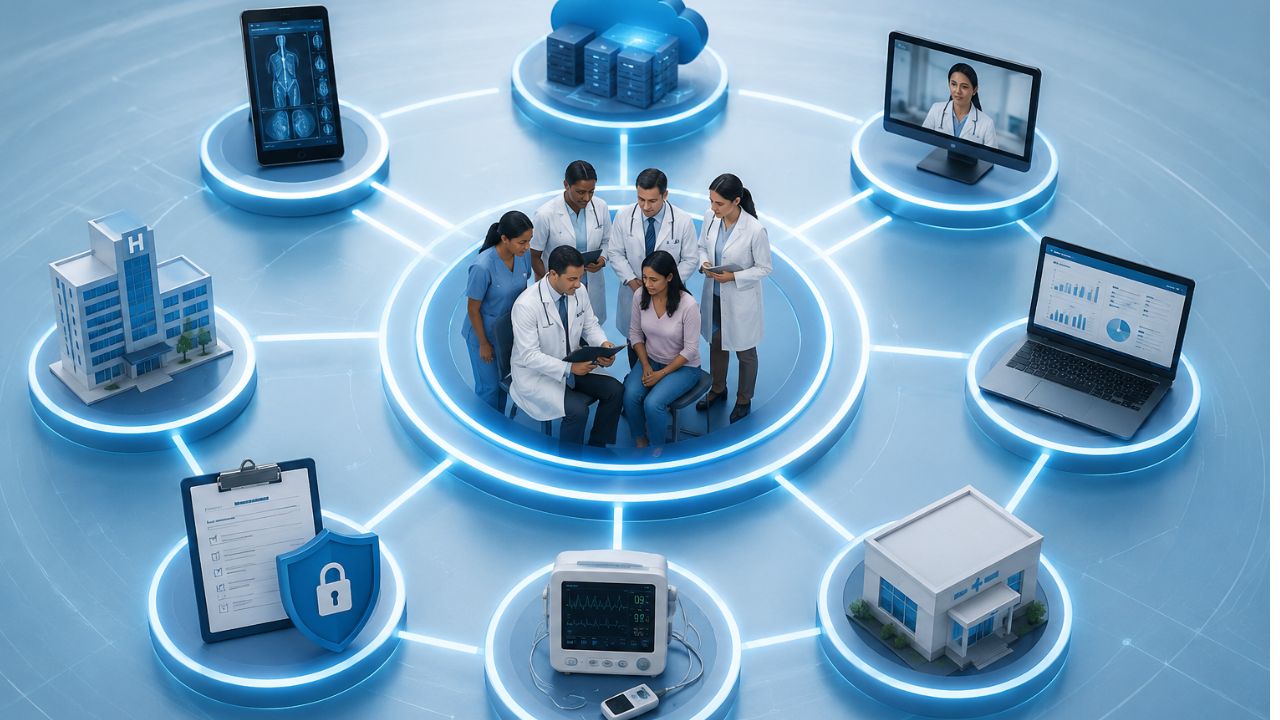
Health data is stored in different locations. One doctor’s office might have an electronic health record system. Another doctor’s office may not be the same. The simple things are harder to do than they should. Interoperability in healthcare can help all the systems communicate efficiently and also improve overall health care.
What’s more, when records move easily, doctors waste less time searching patients records. As for patients, they don’t repeat the same details again when they visit the hospital. Frankly, small steps like these can make a big difference in daily treatment.
What Is Interoperability in Healthcare?
Interoperability is to make healthcare work smoothly. That sounds so simple. But in reality, it is complicated.
Information exchange includes transferring patient data among healthcare providers such as doctors, nurses, pharmacists, laboratory technicians, and other healthcare providers and support personnel, to name a few.
How Is It Different from Data Sharing or Integration
Many people mix these up. They are not the same.
- Data sharing: Refers to a situation in which one system transmits data to another system. Integration: The systems in use are integrated openly in some form.
- Interoperability is the ability of data to operate across systems and retain meaning.
- Data needs to be “interoperable,” which means that another system can read it.
- However, if the underlying data isn’t there or is not properly formatted, integration will fail.
Why it’s important in care delivery:
Patients may see multiple doctors, nurses, or caregivers at different facilities, and those caregivers need access to information about their patients’ health regardless of where they are.
When that information is difficult to access or share, it creates barriers.
That’s why interoperability is vital:
- It will allow faster decision-making for doctors and caregivers.
- Reduce unnecessary duplication of tests.
- Allow medications to be more precisely dosed and monitored.
- Create clearer medical histories.
Types of Healthcare Interoperability
Health care is becoming more digital, and patients want and expect their electronic health records to follow them wherever they go.
Also, health care professionals require complete and accurate information to provide the best possible care.
Systems need a way to work together. That’s when interoperability comes in. Data can move, make sense, and stay useful across tools and platforms.
The types are:
Foundational Interoperability
This is the first level. It allows one system to send data to another system.
Main use: Simple exchange of data between two devices.
Feature:
- Systems can connect and pass information to each other.
- Some data may need to be manually checked.
Example: Sending a patient file from one hospital to another.
At this point, the systems can share data, but they may not always understand it. The data is gathered but may not be ready for immediate use.
Structural Interoperability in Healthcare
This level adds a bit of order. It makes sure the data has a standard format so it can be read properly by the receiving system.
Main use: Sharing of data among parties using this service.
Feature
- The data follows a set structure.
- The fields and formats are consistent across applications.
Here, the data is not just sent; it arrives in a form that makes sense to the next system, which saves time and reduces errors.
Semantic Interoperability in Healthcare
This is the most advanced level. It is where the system can interpret the data.
Main use: Shared understanding of information.
Feature:
- Systems interpret data the same way.
- The term and code are always the same throughout the site.
- Supports better decisions and smoother workflows.
A blood pressure reading is important to healthcare, business, and public services, for example.
Why It Matters:
These three levels work together. The first sends the data. The second organizes it. The third gives it meaning.
When all three are in place, systems work better, and people waste less time.
Healthcare Data Interoperability
Healthcare data interoperability refers to the ability of different systems to share and interpret patient data seamlessly.
This concept facilitates the exchange of information between various entities that the data remains useful and understandable to the receiving party.
Healthcare data interoperability enables the following functions:
- Enables a physician to access the patient’s medical history from another facility
- Allows the laboratory to electronically transmit reports to the EHR
- Enables the pharmacy to electronically receive and process prescriptions
- Allows the payer to electronically process and review claims and coverage
- Ensures providers can share and maintain the same data set regarding specific patients.
How patient data is shared and transported
The data are shared and transported digitally between the entities that uses standardized formats such as:
- EHRs contain information on diagnoses and treatment plans.
- Laboratories process and transmit orders and results.
- Pharmacies process and receive prescriptions and refill requests.
- Payers process coverage, claims, and prior authorizations.
- Providers exchange data using the above systems to facilitate treatment decisions.
Standardization and Security in Healthcare Data Exchange
The need for standardization and security is critical in healthcare data exchange because standardized data is necessary for effective exchange between systems.
Standardized data is easily interpretable and uses uniform formats such as FHIR and HL7.
In addition, standardized data exchange requires secure transmission methods to maintain the confidentiality of patient data.
Access controls help prevent data from getting to the wrong people.
Without them, data can become corrupted.
Data can become lost, delayed, or misconstrued.
Why Interoperability Is Beneficial to Care
Interoperability is useful to care for many reasons.
such as:
- Better clinical accuracy
- The continuity of care
- Efficiency within the work environment.
Interoperability enables the portability and accessibility of data between different systems.
This promotes better collaboration, reduces overall health costs, and decreases administrative burden. A more seamless exchange of information reduces medical errors and supports timely interventions.
Clinical Interoperability
Clinical interoperability refers to the ability of health information technology systems to achieve the following:
- exchange data
- understand data
that promotes the continuity of care.
Without interoperability, electronic health records (EHRs) are essentially islands of information.
This is because the data is only present within the information system that houses it.
Why Semantic Interoperability Matters
Semantic interoperability ensures that information is understood across other systems in the same context.
It defines common codes, and terminologies. It allows unambiguous information exchange.
For example,
A particular laboratory finding, diagnosis, or drug name should have the same meaning when interpreted in another health information technology system.
So,
Data needs to be encoded and decoded digitally within an electronic health record system or between different EHR systems.
If the term ‘myocardial infarction signifies a heart attack, both systems uses the same terminology. If a specific code is used to represent this diagnosis, the EHRs should also be uniform in this regard.
Why shared meaning is important
A term used in one clinic can have different meanings in different places. This can cause errors, poor reporting, and bad care.
Shared meaning allows consistency, which is vital for doctors, nurses, labs, and software.
Semantic standards in use
Standards such as the following are used for shared meaning in medical terms and records:
SNOMED CT: For clinical terms. It includes symptoms, findings, diagnoses, and procedures.
LOINC: For clinical laboratory and other measurements. It helps systems to recognize what a specific test is.
ICD: For diagnosis coding. This allows reporting, reimbursement, and other statistical analysis.
An example
A lab may report glucose. One system may report this as plain text, while another may recognize this as a LOINC code. Now, it tells the systems to know what test was performed. Semantic interoperability makes data accessible, understandable, and safe.
Challenges of Interoperability in Healthcare
Healthcare systems should to share data quickly and efficiently. However, this is not always the case.
Many hospitals use old systems, some of which do not share data properly. This causes the data to be fragmented, with some patient records being in one place and others in another.
Main Problems
Fragmented legacy systems
- Some systems are old and incompatible with newer systems.
- This causes data exchange to be difficult or limited.
Lack of standardization
- Different platforms store and transmit data differently.
- This causes inconsistencies in fields and data.
Privacy and security concerns
- Data is private and must be protected.
- This makes it challenging to share data between systems while keeping it secure.
High implementation costs
- Some systems are expensive to implement.
- This can be a challenge for some organizations.
Resistance to workflow change
- Some people are comfortable with the way things are.
- New systems may disrupt this, causing resistance.
Inadequate or inconsistent patient records
- Data may be missing or incorrect.
- This can cause records to be inconsistent or unreliable.
Technical and regulatory barriers
- Some systems are incompatible with each other.
- Regulations may also limit data exchange, thus impeding interoperability.
Why this happens
New systems are implemented, but old systems are still used. This causes systems to be incompatible with each other, which causes data to be fragmented.
Patients move between clinics, labs, and hospitals, which causes their data to be in different places.
This is why data exchange is challenging and why it requires more than just new systems.
It requires planning and cooperation between organizations to ensure that data is exchanged efficiently and effectively.
How to Improve Interoperability in Healthcare
Communication between systems is not something that happens naturally. It requires proper standards and tools for the seamless exchange of information. Here’s how to go about that:
Use common data standards and protocols
Use interoperable EHR systems
This ensures that records can be shared between care settings
Invest in APIs and integration platforms
This is for systems to communicate effectively
Strengthen governance and data quality
This ensures that data is entered and maintained properly.
Use semantic standards for meaningful exchange
Ensures that terms are used consistently and enables shared meaning between systems.
Align workflow and processes
Makes sure that systems are used effectively and it doesn’t affect the workflow too much.
Ensure compliance
Protects data and maintains privacy and security.
FAQs on Interoperability in Healthcare
What is interoperability in healthcare?
Interoperability in healthcare refers to the ability of different health systems to exchange and use patient information with minimal manual effort. This means that hospitals, clinics, laboratories, and pharmacies can share patient records effortlessly and in a structured manner.
Why is interoperability important in healthcare?
Interoperability reduces the burden on patients, also improve the quality of care they receive. It creates faster and more efficient sharing of patient records.
What are the main barriers to interoperability?
Legacy systems, lack of standards, and poor implementation are some of the main challenges to interoperability. This causes data exchange to be fragmented, inconsistent, and sometimes insecure.
How does interoperability improve care delivery?
Interoperability reduces the workload on healthcare workers. This leads to better care while reducing the chances of errors.
Read also: Targeted Drug Delivery: How Precision Medicine Is Transforming Treatment
Final Thoughts on Interoperability in Healthcare
Interoperability in healthcare is more than just an IT issue. It is a key component in determining how healthcare is delivered. It allows for records to be shared, which allows for faster decision-making while reducing errors.
However, simply having the right technology is not enough. Clinics and hospitals need to embrace these changes while ensuring that patient data is protected.
The benefits can be seen at the point of care. Doctors and nurses can make better decisions while patients do not have to repeat the same information over and over again. This saves time and improves the patient experience.
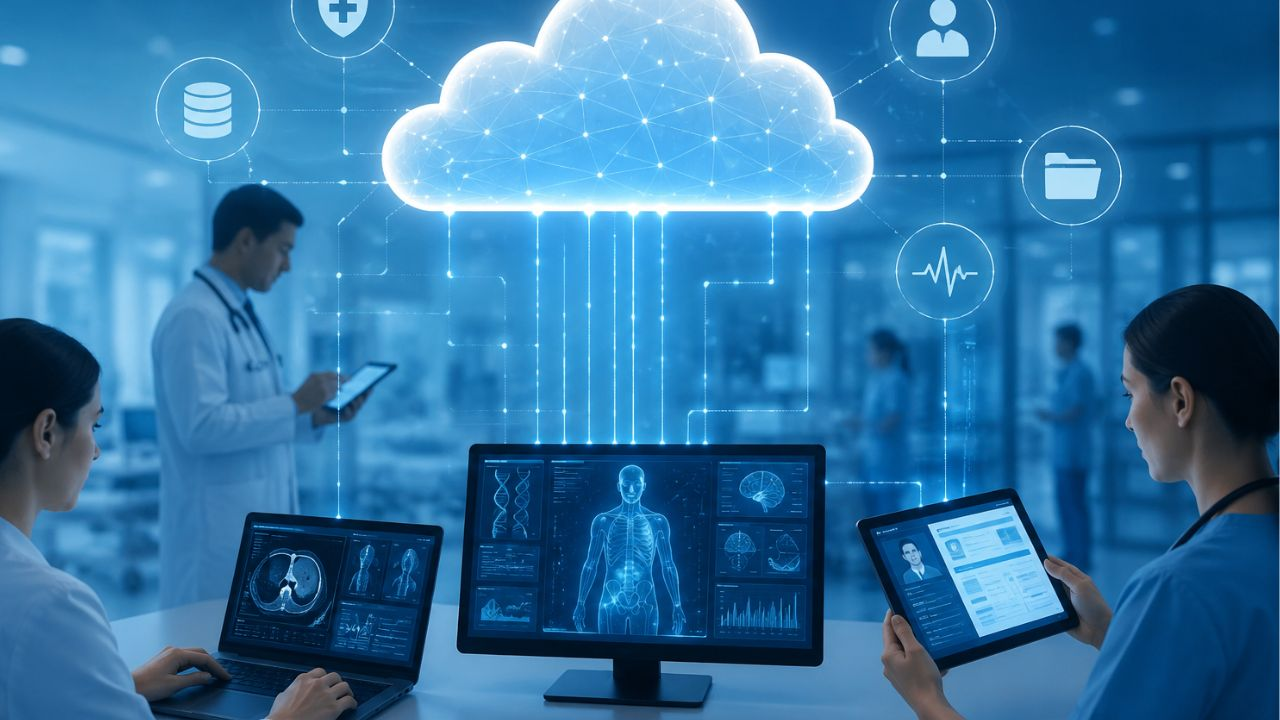
Health care organizations can now store, manage, and process data through cloud computing, which uses a remote server. Personnel can log in to secure systems anytime and anywhere as long as they have access to the internet. Cloud computing in healthcare supports electronic health records, telemedicine, image storage, scheduling, billing, and data analysis.
It helps teams share information across departments and locations, since many patients rely on quick and accurate communication. This model helps health organizations scale faster. It also enables remote work, telehealth, and live collaboration.
Why Healthcare Needs Cloud Computing
A single hospital may handle records, scans, prescriptions, lab work, and insurance claims. And it is always stressful to handle this amount manually. However, cloud-based systems can solve many of these problems. For example, you’ll have:
- Faster access to information
- Lower IT maintenance costs
- Larger storage capacity
- Stronger backup and recovery options
- Remote medical services
- Support for remote care
Benefits of Cloud Computing in Healthcare
The main reasons are:
Operational Benefits
Cloud-based systems save time in several ways.
Benefits include:
- Faster access to data
- Improved collaboration
- More efficient paperwork
- Streamlined workflow
- Real-time information
- Easy to manage
Financial Benefits
Cloud services enable businesses to:
- Lower cost of operation
- Reduce capital expenses
- Minimize maintenance requirements
- Adjust resource levels as necessary
Clinical Benefits
Doctors and nurses have access to information.
Clinical benefits include the following:
- Faster diagnoses
- Better coordination
- Improved patient monitoring
- More accurate records
- More effective treatment planning
A PHC Package: The Advantages for Patients
Patients also have a lot to gain. They include:
- Easier appointment scheduling
- Record access online
- Faster communication
- Better continuity of care
- Remote consultations
- Shorter waiting times
Types of Cloud Deployment Models
Hospitals and healthcare providers have different requirements and needs. They can choose from these deployment models:
Public Cloud
The infrastructure and services are operated by a third-party provider.
Features include:
- Reduced operating expenses
- Quick implementation
- Simple scalability
- Minimal hardware outlay
Private Cloud
It’s owned or controlled by one organization.
Benefits include:
- Increased control
- More customization
- More secure
- Stronger compliance management
Hybrid Cloud
A hybrid strategy integrates public and private cloud capabilities.
Advantages include:
- Elastic storage
- Better performance
- Expense control
- Enhanced data management
Community Cloud
This model supports:
- Research collaboration
- Shared healthcare services
- Industry partnerships
- Regional healthcare networks
Cloud Computing in Healthcare Market
While governments and private entities are pumping funds into digital transformation, the factors below drives the need:
- Increasing demand for telemedicine
- Growing adoption of electronic health records
- Growing connected medical devices
- Growing artificial intelligence
- Raised patient expectation
- Cost reduction pressure
- Remote healthcare services
The key players in the industry are:
- Amazon Web Services (AWS)
- Microsoft Azure
- Google Cloud
- Oracle Health
- IBM
- Salesforce
- Siemens Healthineers
- Philips Healthcare
Healthcare Cloud Adoption by Industry Trends
There are trends that continue to restructure the healthcare industry like the following:
Artificial Intelligence Integration
Hospitals use AI to:
- Analyze medical images
- Early detection of diseases
- Forecast patient outcomes
- Clinical decision support
Internet of Medical Things (IoMT)
Connected devices collect live data from patients.
Examples include:
- Smart monitors
- Wearable sensors
- Glucose trackers
- Heart monitors
Big Data Analytics
Healthcare professionals are leveraging analytics to:
- Monitor performance
- Reduce waste
- Enhance treatment plans
- Detect health trends
Cloud Computing Usage in Healthcare
Cloud-based EHR systems enable healthcare providers to:
- Access patient files immediately
- Update records in real time
- Share information with other facilities
- Reduce paperwork
- Better coordinate care
Doctors can access medical histories, prescriptions, lab tests, and X-ray reports through a secure web portal.
Security and Privacy
Cloud vendors need to protect their information with encryption, access control, monitoring, and audit logs.
Also, the health care industry must adhere to privacy laws and industry standards.
Policies for sharing information, access to information, and backups must be established.
Many security issues arise because of human error.
Key Security Features
Modern healthcare cloud applications include the following:
Data encryption
Multiple-factor authentication
Access controls, firewalls
Security monitoring
Backups
Threat detection tools. These measures reduce security risks.
Data Encryption
Encryption transforms information into coded data. Healthcare organizations use encryption when transferring, storing or backing up data. Even if someone were to gain access to your data, this information would be difficult to read.
Identity and Access Management
Hospitals must restrict who can access patient information. Security teams define access permissions for doctors, nurses, laboratories, pharmacists, administrators, and IT teams.
Regulatory Compliance
Compliance with local and international laws is a must for healthcare providers. Requirements agreements, letters of understanding, and binding policies include but are not limited to the following:
- Data privacy standards
- Patient confidentiality rules
- Security audits
- Incident reporting
- Record retention policies
Advantages of Cloud Computing in Healthcare
Key benefits include the following:
- Flexible storage space
- Lower infrastructure costs
- Better collaboration and faster deployment
- Fast disaster recovery
- Access and improved analytics
- Support for remote care.
Disadvantages of Cloud Computing in Healthcare
- Security concerns
- Internet dependency
- Regulatory complexity
- Vendor lock-in, Migration costs
- Staff training requirements
- System downtime risks
Choosing the Right Cloud Service Provider
Important factors include:
- Security certifications
- Data protection measures,
- Industry experience
- Customer support
- System reliability
- Pricing structure
- Scalability
Questions to Ask a Cloud Vendor
Before signing a contract, organizations should ask these vital questions:
- How secure is patient data?
- Are there backups?
- Do you undergo security audits regularly?
- Do you have other compliance requirements?
- How fast can you scale the service?
- What happens in case the service goes down?
- What support options do you have?
Challenges Facing Cloud Computing in Healthcare
The healthcare cloud market is on the rise but with hurdles to cross.
Data Privacy Issues
Patients have a right to expect that their personal information will be protected by healthcare organizations.
Organizations need to address the following:
- Cyberattacks
- Insider threats
- Human error
- Weak passwords
- Unauthorized access
Legacy Systems
Many hospitals still use out-of-date infrastructure.
Common problems are:
- Poor integration
- Limited compatibility
- Costly upgrades
- Slow performance
Workforce Training
New technology requires new skills.
Staff need to be trained in healthcare to
- Use cloud software
- Comply with security policies
- Safeguard patient data
- Handle events
Internet Reliability
Cloud systems rely on Internet connections.
Poor internet access may cause a facility to crash.
- Delays
- Downtime
- Communication issues
- Lower efficiency
The Future of Cloud Computing in Healthcare
Experts anticipate many changes.
Artificial Intelligence Will Expand
The applications of AI will continue to include:
- Disease detection
- Workflow automation
- Predictive analytics
- Personalized medicine
The processing power these systems need is supplied by cloud infrastructure.
Precision Medicine Will Grow
Cloud platforms support:
- Genetic analysis
- Research databases
- Clinical decision tools
- Patient monitoring
Stronger Patient Engagement
Coming features could include:
- Mobile health applications
- Digital records access
- Real-time updates
- Enhanced communication
Regulations That Oversees the Market
In the US, the Health Insurance Portability and Accountability Act (HIPAA) sets standards that handles patient data.
In addition, the Health Information Technology for Economic and Clinical Health Act (HITECH) reinforces these obligations.
Some organizations may require to adhere to the General Data Protection Regulation (GDPR).
Cloud Computing for Clinical and Administrative Teams
Clinical Applications
Cloud systems now handle much of patient care’s day-to-day activities.
Electronic Health Records and EMRs
Cloud-based EHR and EMR products enable clinicians to make patient records accessible across multiple locations. Providers can better manage the work.
Medical Imaging and PACS
Cloud-based Picture Archiving and Communication Systems (PACS) enable radiologists to store, retrieve, and share images without relying on local servers.
Services for Telehealth
Access to care has been increased with telehealth. Cloud Architecture: Video visits, appointment booking, and safe messaging are all powered by cloud architecture.
Patients do not have to travel far to connect with providers.
Analytics and AI Decision Support
Massive Amounts of Data: Healthcare organizations gather terabytes of data. Teams can use cloud analytics to detect trends and evaluate results.
AI systems can also support image interpretation, patient triaging, and clinical decision-making.
Applications to Administration
Cloud platforms also enhance back-office processing efficiency.
Cloud services are used by healthcare institutions for:
- Appointment setting and management.
- Revenue cycle management.
- Bills and process claims.
- Personnel.
- Population health management.
- Inventory control.
Data Integration and Interoperability Challenges
Still, many healthcare providers have older systems in place. Those systems can be challenging to integrate with new cloud platforms.
Healthcare executives need to develop integration models that enable data to be shared and still be secure and compliant.
Cloud security is a shared responsibility.
Cloud providers secure the infrastructure, from the data center to the hardware to core services.
Healthcare Providers Still Have to:
- User access
- Device management
- Data classification
- Application security
- Internal policies
Data Protection Strategies
Healthcare entities have multiple layers of protection.
Encryption
Encryption protects data at rest or in motion. The data, if intercepted by attackers, is not easy to read.
Access Controls
Access should be restricted to that which is required based upon job functions. Specific advantages of RBAC include limiting the exposure surface.
Multi-factor authentication provides an additional layer of security.
Audit Logging
Audit logs monitor system activities. Organizations can keep track of who has accessed records and detect suspicious activity.
Also, they with compliance.
Challenges Facing Cloud Computing in Healthcare
Ransomware Attacks
Ransomware may interrupt the functioning of a hospital and prevent it from attending to patients. Healthcare institutions are often targeted.
Threats from within
Employees, contractors, and third-party partners can make sensitive information public. Staff need to be trained, and access needs to be monitored.
Data Breaches
Compromised weak passwords, phishing scams, and unpatched applications can cause data breaches.
Adherence to regulations
Healthcare bodies tend to adhere to multiple frameworks.
These may include:
- HIPAA .
- HITECH.
- GDPR.
- Local privacy laws.
- Industry standards.
Compliance is not a one-off project. Organizations are also required to regularly review policies and adapt to new requirements.
Security Best Practices
Healthcare organizations can improve security through the following:
- Conducting routine risk assessments.
- Checking vendor compliance credentials.
- Testing incident response plans.
- Training employees.
- Continually monitoring systems.
- Updating security policies.
Use Cases
Many health care providers already employ cloud technology in practical applications. These are just a few examples of how clinical and operational aims are enabled by cloud platforms.
Hospital Networks and Hybrid Cloud Adoption
A hybrid solution integrates on-premises infrastructure with cloud services. Businesses can store sensitive workloads privately and run analytics and collaborate on them in the public cloud.
This approach gives you flexibility and control.
Cloud-Based PACS and Imaging Workflows
Radiology units treat literally thousands of images per week.
Cloud-based PACS solutions can remove storage constraints and enhance image sharing.
Radiologists can read scans remotely and connect with specialists around the world.
Healthcare systems also improve disaster recovery.
Research and Clinical Trial Management
Research teams can depend on secure data sharing.
Cloud platforms help researchers:
- Store clinical trial data.
- Conduct multi-center studies.
- Analyze big data sets.
- Facilitate collaboration.
Public health and population health programs
Cloud analytics platforms are used to:
- Monitor for disease outbreaks.
- Plan resources.
- Manage resources.
- Predictive modeling.
Contents of an HHS Cloud System
Todern healthcare cloud infrastructure includes the following:
- Data storage platforms.
- Compute resources
- Analytical tools.
- Services from AI.
- Security provisions.
- Backup systems.
Decoding IaaS, PaaS, and SaaS
There is a different service model for different needs.
Infrastructure Services (IaaS)
IaaS includes virtualized servers, networking, and storage.
Applications and configurations: Organizations retain more control.
Platform as a Service (PaaS)
PaaS includes tools for development as well as fully managed environments.
Healthcare organizations can develop and release infrastructure-free applications.
Software as a Service (SaaS)
SaaS applications are full applications accessible via the web.
Examples are EHR systems, scheduling platforms, and telehealth solutions.
Network Design Concerns
Healthcare organizations rely on trustworthy connectivity.
Considerations include
- Low latency.
- Redundant connections.
- Backup Systems.
- Disaster recovery plans.
- Geographical Distribution.
Interoperability Standards and APIs
There must be efficient information flow between healthcare systems.
Two key standards underpin interoperability:
- FHIR for health data exchange.
- DICOM for imaging.
Final Thoughts on Cloud Computing in Healthcare
The healthcare industry depends on speed, accuracy, and trust. Cloud platforms help meet those needs. They store data securely, improve access, and support modern care tools. With the right planning, cloud computing in healthcare can strengthen operations and improve patient outcomes.
However, healthcare organizations must address security, privacy, and compliance challenges. Careful planning and strong partnerships can reduce these risks.
-
 Wearable Health9 months ago
Best Portable Health Monitoring Devices for Travelers (Compact and Reliable)
-

 Diagnostic & Hospital Equipments8 months ago
Blood Pressure Monitor Problems: Common Errors and How to Fix Them
-

 Review and guides9 months ago
CPAP Machines Buying Guide: The Best Models Doctors Don’t Recommend
-
 Wearable Health8 months ago
How to Get Accurate Heart Rate Readings from Wearables (Best devices compared)
-

 Diagnostic & Hospital Equipments5 months ago
Top Professional Syringe Infusion Pumps for ICU Setups
-
 Wearable Health8 months ago
Best Smartwatches for Health Tracking: Features that Actually Matter
-
 Home and selfcare9 months ago
Portable vs. Tabletop Nebulizers: Which is Better for Home Use
-

 Diagnostic & Hospital Equipments5 months ago
Best Surgical Microscopes for Precision Procedures (Top Brands)