
Diagnostic & Hospital Equipments
PACS System Explained: How They Work and Who Uses It

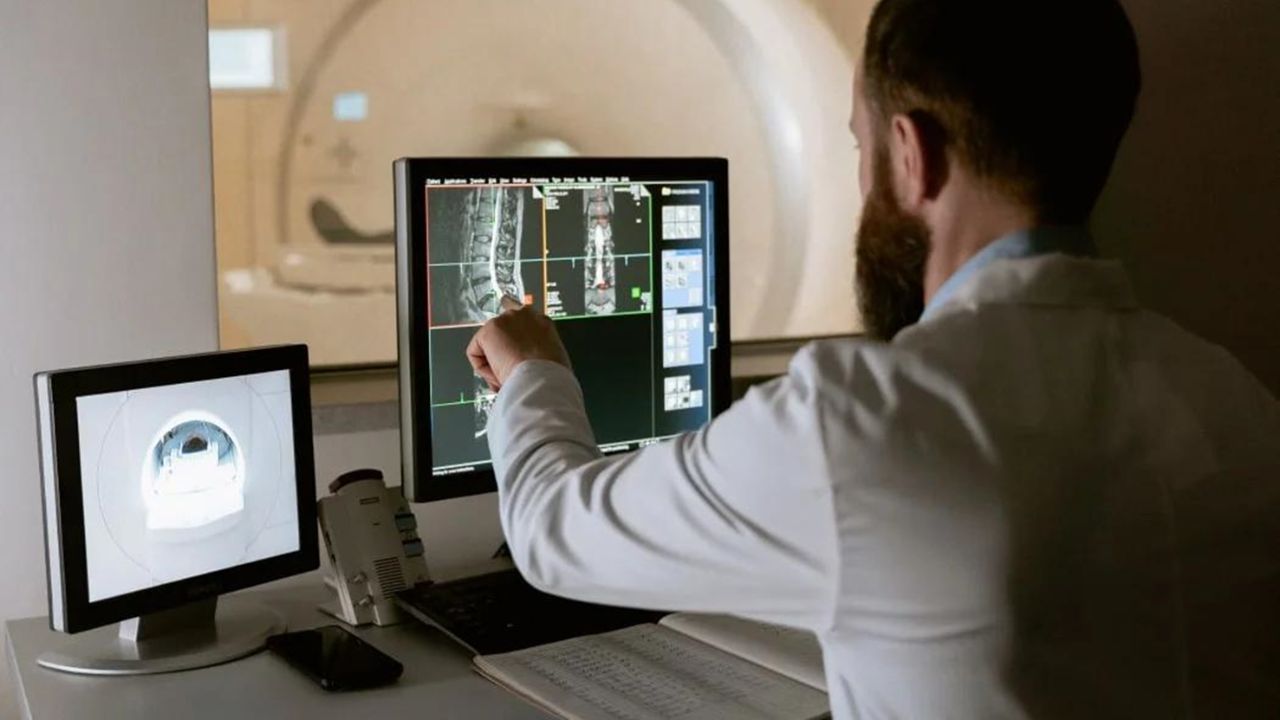
Before PACS became the standard, imaging in hospitals was based on film. film X-ray images were piled up in envelopes, and CT scans were stored in archives. It worked but was slow; however, the introduction of PACS system changed the entire process instead of relying on physical storage media.
A doctor needed old recordings; someone actually had to look in the filing cabinets. Films could be in the wrong place, damaged, or sometimes untraceable at all. This led to delayed diagnoses, repeated examinations, and immense frustration for staff and patients.
Hospitals now rely on digital images. Doctors can now open scans digitally. Compare old and current images and share them with specialists without waiting time. This not only digitized images but also accelerated the workflows in the hospital, making them more reliable and significantly easier to handle.
What is PACS?
PACS is an acronym for “Picture Archiving and Communication System.” In layman’s terms, it is what hospitals use to store and organize medical images like X-rays, MRIs, and scans.
Instead of managing films in archives as before, all data are digitized and stored in a central system that can be accessed when needed. This system has fundamentally changed the way medical care is done. Doctors no longer have to wait for films to be delivered or worry about losing images.
Scanned images can now be searched by patient name or patient ID, opened immediately, and viewed within seconds on a computer. Thanks to this speed, doctors can make faster and more informed decisions.
Benefits of PACS
A few years ago, in a hospital waiting room, a doctor called in a patient and discussed his CT scan of the chest. Within seconds, the current image appeared on the screen, next to a scan from two years ago. The doctor zoomed in on a section, pointed out a small detail, and calmly explained the changes.
The conversation lasted only a few minutes. What was impressive was not the technology on the screen itself, but the doctor’s ability to explain the condition to the patient based on the two side-by-side images. There was no waiting, no guesswork, and no need to schedule another appointment to compare the results.
Without a PACS system, this simple comparison would have been far more complicated. Someone would have had to search the archives, find the old films, and bring them to radiology. This process could have taken hours. Digitization allows doctors to focus on explaining and treating patients, rather than chasing paperwork and physical records.
The Uses of a PACS System in Daily Medical Practice
The PACS system is more than just an image storage system. These are some of the most common uses I see in hospitals and clinics:
Review Your Imaging History. Doctors can instantly access a patient’s previous X-rays, CT scans, or MRIs. That way, it’s easier to monitor changes without having to search for old files or wait for physical copies.
Share Scans with Specialists
Images are forwarded electronically to other physicians or hospitals. It works particularly well for second opinions or virtual consultations without patients having to make the long trip across the country.
Schedule Surgeries
Surgeons rely on PACS images to analyze anatomy and schedule surgeries. With high-resolution scans, they can even assess complex cases before entering the OR.
Track Disease Progression Using current and old scans, doctors can observe how diseases such as cancer, pneumonia, or arthritis are developing. That leads to better treatment decisions and better patient outcomes.
Train Medical Students and Residents
Trainees can review real-life cases held in the system. PACS provides them with access to a broad spectrum of diseases to study, and they no longer have to rely on textbooks or physical films.
PACS Integration in Medical Imaging Departments
One of the major advantages of a PACS system is that it has become a part of medical imaging and can be integrated with other medical imaging.
Direct Image Transfer from Modalities
Imaging equipment, such as CT scanners, MRI machines, and X-rays, can send scans immediately to the PACS system as soon as they are done. No need to wait for films to be developed or for someone to hand-upload images. It saves time for both radiologists and patients.
Instant Radiologist Access
After the image is sent to the PACS, radiologists can review it immediately. They don’t have to find physical films or wait for them to be delivered by other departments. This quickens the reading process and allows physicians to make quicker decisions, particularly in emergencies.
Reduces Human Error
Everything is stored, organized, and backed up. That means, there are fewer errors that usually happens when it is physically handled.
Provides Excellent Teamwork
It’s easy to share images with other specialists inside the hospital or remotely with PACS. “Surgeons, oncologists, and other physicians can all log in to view the same scan at the same time to discuss findings and coordinate care.
Workflow Efficiency
By linking imaging equipment, storage, and workstations, PACS provides a seamless, digital workflow. Everything from the scan to the diagnosis is fast.
Integration PACS with Other Systems
PACS can integrate with hospital information systems (HIS) and radiology information systems (RIS). Patient data, reports, and images are associated with one another by this integration, enabling the elimination of duplication and facilitating the maintenance of records.
The 4 Components of PACS That Make the System Work
There are four components of the PACs system. You can consider them as fundamental blocks. Although they work together. When one piece stops moving, the whole machine slows or stops. The components are:
Imaging Modalities
These are the devices that perform the imaging, such as CT, MRI, X-ray, ultrasound, and so on. Without them, there would be nothing to store or to show you. They are the starting point of the system.
Secure Network for Data Transfer
Images need to move securely from the machine to the hospital computer after they are formed. This network guarantees that scans are routed speedily and securely to the correct location without any loss of data.
Workstations
These are the computers on which physicians and radiologists look at and interpret the images. High-resolution monitors, along with specially designed software, enable radiologists to zoom in, review previous scans, and make an informed diagnosis. The images are there, but they can’t be used, we can’t do anything without the workstations.
Archive Servers for Long-Term Storage
The images require a safe place to ‘reside.’ Archive servers keep scans for years and are designed to hold them in an organized fashion that can be easily retrieved should a doctor need to review a patient’s history. This is the core of PACS storage.
Each relies on the other. Skip one, and the workflow grinds to a halt. In combination, they enable the PACS system to be dependable, speedy, and indispensable in contemporary medical imaging.
Who uses PACS Systems
A lot of people still think PACS is only for radiologists. Well some other healthcare professionals can use it in their field. They are:
- Radiologists
- Surgeons
- Emergency physicians
- Oncologists
- Cardiologists
- Students, and medical trainees.
Storage: The Backbone of Every PACS System
On-Premise Storage (Local Servers)
This is the conventional type of storage where all the medical images reside in the PACS servers located on the hospital premises. This gives hospitals complete control of their data, and the access rates are fast since they are not accessing files over the Internet.
The disadvantage is the higher cost of maintenance, the need for IT personnel, and potential limited scalability if the volume of imaging rapidly increases.
Cloud-Based Storage
Cloud storage sends images to secure servers managed by third-party providers. Hospitals can view images from any place, which is ideal for consultations off-site or telemedicine. It’s scalable, meaning you can add storage as you go, and backups tend to be automated. However, it is reliant on internet speed and may have ongoing subscription fees.
Hybrid Storage
Hybrid storage is a combination of on-premise hardware and the cloud. Critical and more frequently accessed images are stored on local servers, while older or rarely accessed images are migrated to the cloud. This blends the need for high speed, security, and affordability well and is highly popular among large hospitals.
Nearline or Tape Backup Storage
For long-term archiving, some hospitals still use tape drives or nearline systems. It is slower to retrieve, but it is a very cost-effective way to store images that aren’t needed frequently. Frequently, it is applied as a secondary backup to avoid losing data.
Requirements for PACS System Implementation in Hospitals
Taking a PACS system up and running is not like installing regular software. There are very demanding regulations for PACS system installation, so much so that in clinical environments…
Hospitals need to consider
- Network bandwidth
- data security and encryption
- DICOM compatibility
- integration with RIS and HIS systems
- compliance with regulations and patient privacy laws.
How to Choose a PACS System for a Hospital or Clinic
Choosing a PACS system is not a decision you make in haste. It’s a long-term decision since this platform will be the hub of your imaging workflow for the next several years. You want a system that’s seamless now and scalable to your hospital or clinic size in the future.
What follows are some of the prerequisites most hospitals and clinics have for a solution in the PACS space:
- Scalability: If your patient volume grows, can the system accommodate more scans?
- Vendor support and training: Will the company liaise with your team to train them on the system and to troubleshoot?
- Integration: How well does it integrate with other systems like RIS or HIS?
- Storage flexibility: How much space does it provide for images now and in the future? Does it allow for cloud or local storage?
- The total cost of ownership: Not just the upfront cost. You should also consider maintenance, upgrades, and support fees.
Disadvantages of PACS Systems
PACS systems certainly make life easier in the hospitals, but they’re not without their issues. As with any technology, there are challenges that can come up. They may include the following:
- High upfront investment: Buying hardware such as servers and workstations, with software, can be costly. It may be too expensive for small clinics.
- System downtime: If the system crashes or requires maintenance, physicians may not be able to view images. So it may delay, results can’t be shared with another hospital.
- Cybersecurity: With more patient images being stored and shared digitally, hospitals are increasingly vulnerable to cyberattacks. Additional security precautions are necessary.
- IT staffing needs: A PACS needs trained staff to maintain and troubleshoot the system, and smaller clinics often lack such personnel.
These challenges don’t outweigh the benefits of PACS, but they do mean hospitals must plan carefully. Proper budgeting, security protocols, and dependable IT support will all be needed to ensure the system functions smoothly and patient data remains secure.
Cloud PACS vs. On-Premise PACS Systems
Both enable you to save, access, and share photos, but they offer a slightly different workflow.
Cloud PACS allows hospitals to easily add on storage and lets physicians view images from any internet-enabled device. That’s perfect for remote consults, multi-location hospitals, or telemedicine. In contrast, on-premise solutions retain data on-site, allowing hospitals to have more control over the environment and keep the data within their own firewalls.
There are trade-offs to each. Cloud solutions may require ongoing subscription fees and requires a reliable internet connection, while on-premise solutions require in-house IT staff and maintenance. That’s why many hospitals are now opt for hybrid solutions.
Read also: Mammography Machine for Breast Cancer: Types, Cost, and What to Expect
Final Thoughts: Why the PACS System Is So Important
PACS systems doesn’t depend on physical storage. It’s easy to view it another piece of hospital software. But it’s really the backbone of medical imaging. Without it, radiology would be slower, and patients would wait longer for answers.
The PACS system didn’t just replace film. It changed the way doctors make decisions, how quickly they can respond, and how safely patient scans are stored for years. It’s one of those systems that quietly keeps hospitals running smoothly every day.
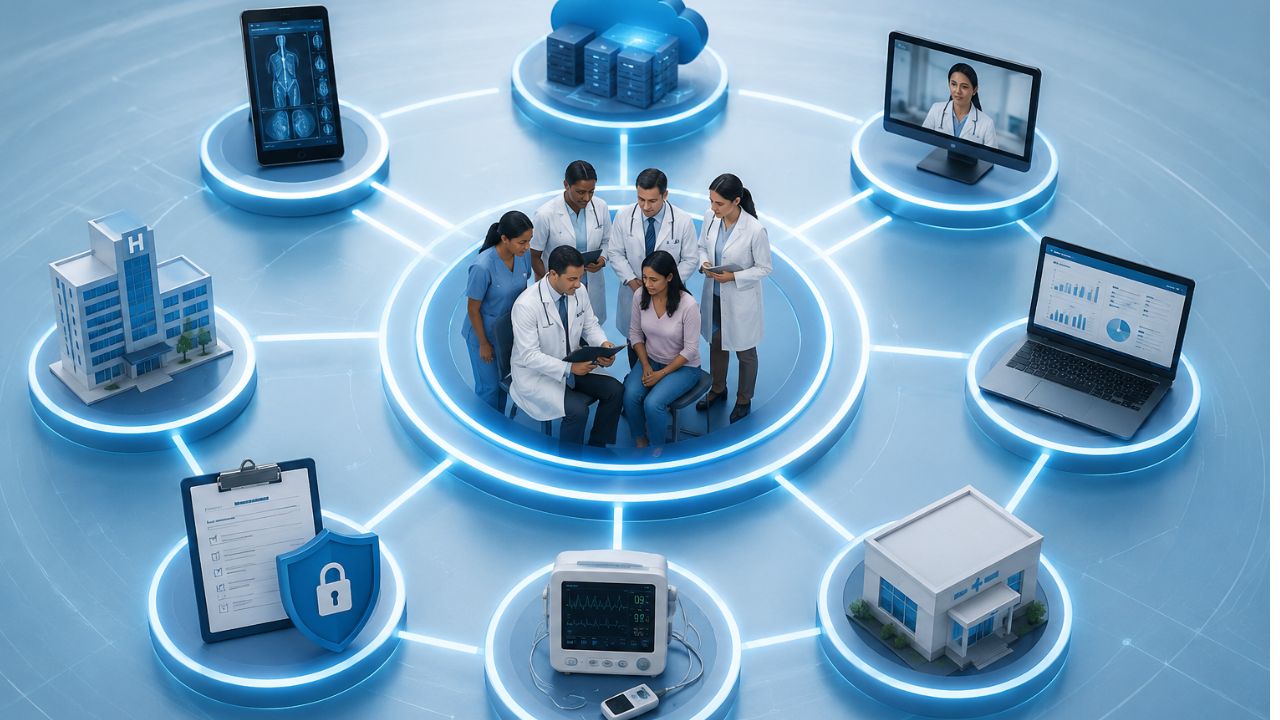
Health data is stored in different locations. One doctor’s office might have an electronic health record system. Another doctor’s office may not be the same. The simple things are harder to do than they should. Interoperability in healthcare can help all the systems communicate efficiently and also improve overall health care.
What’s more, when records move easily, doctors waste less time searching patients records. As for patients, they don’t repeat the same details again when they visit the hospital. Frankly, small steps like these can make a big difference in daily treatment.
What Is Interoperability in Healthcare?
Interoperability is to make healthcare work smoothly. That sounds so simple. But in reality, it is complicated.
Information exchange includes transferring patient data among healthcare providers such as doctors, nurses, pharmacists, laboratory technicians, and other healthcare providers and support personnel, to name a few.
How Is It Different from Data Sharing or Integration
Many people mix these up. They are not the same.
- Data sharing: Refers to a situation in which one system transmits data to another system. Integration: The systems in use are integrated openly in some form.
- Interoperability is the ability of data to operate across systems and retain meaning.
- Data needs to be “interoperable,” which means that another system can read it.
- However, if the underlying data isn’t there or is not properly formatted, integration will fail.
Why it’s important in care delivery:
Patients may see multiple doctors, nurses, or caregivers at different facilities, and those caregivers need access to information about their patients’ health regardless of where they are.
When that information is difficult to access or share, it creates barriers.
That’s why interoperability is vital:
- It will allow faster decision-making for doctors and caregivers.
- Reduce unnecessary duplication of tests.
- Allow medications to be more precisely dosed and monitored.
- Create clearer medical histories.
Types of Healthcare Interoperability
Health care is becoming more digital, and patients want and expect their electronic health records to follow them wherever they go.
Also, health care professionals require complete and accurate information to provide the best possible care.
Systems need a way to work together. That’s when interoperability comes in. Data can move, make sense, and stay useful across tools and platforms.
The types are:
Foundational Interoperability
This is the first level. It allows one system to send data to another system.
Main use: Simple exchange of data between two devices.
Feature:
- Systems can connect and pass information to each other.
- Some data may need to be manually checked.
Example: Sending a patient file from one hospital to another.
At this point, the systems can share data, but they may not always understand it. The data is gathered but may not be ready for immediate use.
Structural Interoperability in Healthcare
This level adds a bit of order. It makes sure the data has a standard format so it can be read properly by the receiving system.
Main use: Sharing of data among parties using this service.
Feature
- The data follows a set structure.
- The fields and formats are consistent across applications.
Here, the data is not just sent; it arrives in a form that makes sense to the next system, which saves time and reduces errors.
Semantic Interoperability in Healthcare
This is the most advanced level. It is where the system can interpret the data.
Main use: Shared understanding of information.
Feature:
- Systems interpret data the same way.
- The term and code are always the same throughout the site.
- Supports better decisions and smoother workflows.
A blood pressure reading is important to healthcare, business, and public services, for example.
Why It Matters:
These three levels work together. The first sends the data. The second organizes it. The third gives it meaning.
When all three are in place, systems work better, and people waste less time.
Healthcare Data Interoperability
Healthcare data interoperability refers to the ability of different systems to share and interpret patient data seamlessly.
This concept facilitates the exchange of information between various entities that the data remains useful and understandable to the receiving party.
Healthcare data interoperability enables the following functions:
- Enables a physician to access the patient’s medical history from another facility
- Allows the laboratory to electronically transmit reports to the EHR
- Enables the pharmacy to electronically receive and process prescriptions
- Allows the payer to electronically process and review claims and coverage
- Ensures providers can share and maintain the same data set regarding specific patients.
How patient data is shared and transported
The data are shared and transported digitally between the entities that uses standardized formats such as:
- EHRs contain information on diagnoses and treatment plans.
- Laboratories process and transmit orders and results.
- Pharmacies process and receive prescriptions and refill requests.
- Payers process coverage, claims, and prior authorizations.
- Providers exchange data using the above systems to facilitate treatment decisions.
Standardization and Security in Healthcare Data Exchange
The need for standardization and security is critical in healthcare data exchange because standardized data is necessary for effective exchange between systems.
Standardized data is easily interpretable and uses uniform formats such as FHIR and HL7.
In addition, standardized data exchange requires secure transmission methods to maintain the confidentiality of patient data.
Access controls help prevent data from getting to the wrong people.
Without them, data can become corrupted.
Data can become lost, delayed, or misconstrued.
Why Interoperability Is Beneficial to Care
Interoperability is useful to care for many reasons.
such as:
- Better clinical accuracy
- The continuity of care
- Efficiency within the work environment.
Interoperability enables the portability and accessibility of data between different systems.
This promotes better collaboration, reduces overall health costs, and decreases administrative burden. A more seamless exchange of information reduces medical errors and supports timely interventions.
Clinical Interoperability
Clinical interoperability refers to the ability of health information technology systems to achieve the following:
- exchange data
- understand data
that promotes the continuity of care.
Without interoperability, electronic health records (EHRs) are essentially islands of information.
This is because the data is only present within the information system that houses it.
Why Semantic Interoperability Matters
Semantic interoperability ensures that information is understood across other systems in the same context.
It defines common codes, and terminologies. It allows unambiguous information exchange.
For example,
A particular laboratory finding, diagnosis, or drug name should have the same meaning when interpreted in another health information technology system.
So,
Data needs to be encoded and decoded digitally within an electronic health record system or between different EHR systems.
If the term ‘myocardial infarction signifies a heart attack, both systems uses the same terminology. If a specific code is used to represent this diagnosis, the EHRs should also be uniform in this regard.
Why shared meaning is important
A term used in one clinic can have different meanings in different places. This can cause errors, poor reporting, and bad care.
Shared meaning allows consistency, which is vital for doctors, nurses, labs, and software.
Semantic standards in use
Standards such as the following are used for shared meaning in medical terms and records:
SNOMED CT: For clinical terms. It includes symptoms, findings, diagnoses, and procedures.
LOINC: For clinical laboratory and other measurements. It helps systems to recognize what a specific test is.
ICD: For diagnosis coding. This allows reporting, reimbursement, and other statistical analysis.
An example
A lab may report glucose. One system may report this as plain text, while another may recognize this as a LOINC code. Now, it tells the systems to know what test was performed. Semantic interoperability makes data accessible, understandable, and safe.
Challenges of Interoperability in Healthcare
Healthcare systems should to share data quickly and efficiently. However, this is not always the case.
Many hospitals use old systems, some of which do not share data properly. This causes the data to be fragmented, with some patient records being in one place and others in another.
Main Problems
Fragmented legacy systems
- Some systems are old and incompatible with newer systems.
- This causes data exchange to be difficult or limited.
Lack of standardization
- Different platforms store and transmit data differently.
- This causes inconsistencies in fields and data.
Privacy and security concerns
- Data is private and must be protected.
- This makes it challenging to share data between systems while keeping it secure.
High implementation costs
- Some systems are expensive to implement.
- This can be a challenge for some organizations.
Resistance to workflow change
- Some people are comfortable with the way things are.
- New systems may disrupt this, causing resistance.
Inadequate or inconsistent patient records
- Data may be missing or incorrect.
- This can cause records to be inconsistent or unreliable.
Technical and regulatory barriers
- Some systems are incompatible with each other.
- Regulations may also limit data exchange, thus impeding interoperability.
Why this happens
New systems are implemented, but old systems are still used. This causes systems to be incompatible with each other, which causes data to be fragmented.
Patients move between clinics, labs, and hospitals, which causes their data to be in different places.
This is why data exchange is challenging and why it requires more than just new systems.
It requires planning and cooperation between organizations to ensure that data is exchanged efficiently and effectively.
How to Improve Interoperability in Healthcare
Communication between systems is not something that happens naturally. It requires proper standards and tools for the seamless exchange of information. Here’s how to go about that:
Use common data standards and protocols
Use interoperable EHR systems
This ensures that records can be shared between care settings
Invest in APIs and integration platforms
This is for systems to communicate effectively
Strengthen governance and data quality
This ensures that data is entered and maintained properly.
Use semantic standards for meaningful exchange
Ensures that terms are used consistently and enables shared meaning between systems.
Align workflow and processes
Makes sure that systems are used effectively and it doesn’t affect the workflow too much.
Ensure compliance
Protects data and maintains privacy and security.
FAQs on Interoperability in Healthcare
What is interoperability in healthcare?
Interoperability in healthcare refers to the ability of different health systems to exchange and use patient information with minimal manual effort. This means that hospitals, clinics, laboratories, and pharmacies can share patient records effortlessly and in a structured manner.
Why is interoperability important in healthcare?
Interoperability reduces the burden on patients, also improve the quality of care they receive. It creates faster and more efficient sharing of patient records.
What are the main barriers to interoperability?
Legacy systems, lack of standards, and poor implementation are some of the main challenges to interoperability. This causes data exchange to be fragmented, inconsistent, and sometimes insecure.
How does interoperability improve care delivery?
Interoperability reduces the workload on healthcare workers. This leads to better care while reducing the chances of errors.
Read also: Targeted Drug Delivery: How Precision Medicine Is Transforming Treatment
Final Thoughts on Interoperability in Healthcare
Interoperability in healthcare is more than just an IT issue. It is a key component in determining how healthcare is delivered. It allows for records to be shared, which allows for faster decision-making while reducing errors.
However, simply having the right technology is not enough. Clinics and hospitals need to embrace these changes while ensuring that patient data is protected.
The benefits can be seen at the point of care. Doctors and nurses can make better decisions while patients do not have to repeat the same information over and over again. This saves time and improves the patient experience.
Diagnostic & Hospital Equipments
Targeted Drug Delivery: How Precision Medicine Is Transforming Treatment
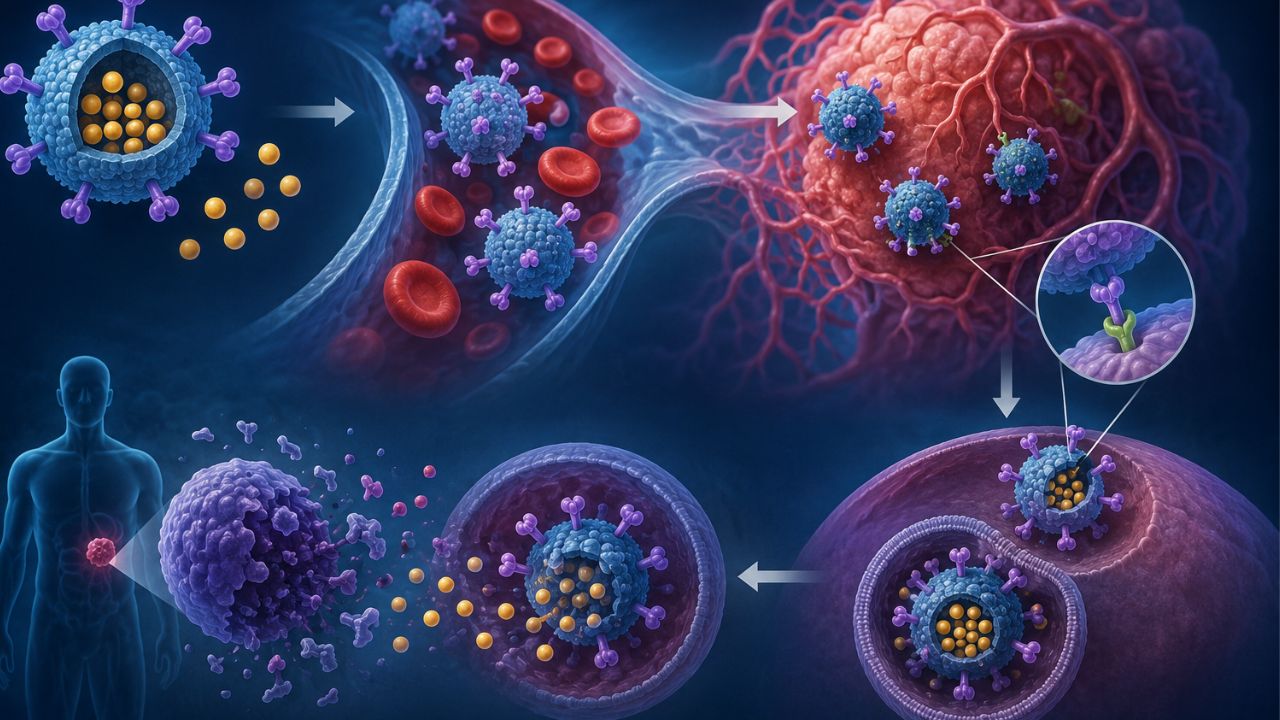
Some medicines only work when they reach the right place. That is where targeted drug delivery (TDD) becomes useful. What it does is send the drugs to the cells or tissues. And when this happens, it prevents them from affecting healthy cells in nearby areas.
Now, instead of depending on broad action, it focuses on accuracy, efficiency, and patient comfort. As research advances, it opens new possibilities for conditions that are difficult to treat.
What Is Targeted Drug Delivery?
Targeted drug delivery administers medicine so that the part of the body that needs it gets the proper treatment. This can make the medicine work better and reduce side effects.
This is important because many drugs affect both healthy and unhealthy cells. If the medicine targets the problem area, the treatment will be more effective and easier on the body.
How It Differs From Traditional Drug Delivery
With traditional drug delivery, a pill, injection, or infusion travels through the bloodstream and is distributed to many parts of the body. The drug may be useful, but it could affect healthy tissue on the way.
For example, chemotherapy treatment not only targets cancer cells growing fast, they can also damage healthy cells in the hair roots and stomach lining. That is why people lose hair while receiving chemotherapy.
Targeted drug delivery tries to reduce that problem. It uses methods such as:
- Special carriers like liposomes or nanoparticles
- Antibody-based drugs that attach to certain markers on cells
- Implants or local injections that release medicine around the affected area
- Controlled-release systems that deliver the drug
An example is liposomal doxorubicin, used in some cancers. It packages the drug in a tiny fat-like shell. It can help the medicine stay in the bloodstream longer and reduce some side effects compared with the plain form of the drug.
Precision Medicine and Targeted Therapy
Targeted drug delivery works with precision medicine. Precision medicine means treatment chosen based on a person’s genes, disease type, and other individual details. Rather than treating everyone the same way, doctors use individual data to treat them.
Targeted therapy is one part of that idea. It uses drugs that aim at specific molecules or pathways involved in a disease. This is common in cancer care.
Trastuzumab is used in some breast cancers that make too much of the HER2 protein. Also, imatinib works well for some people with chronic myeloid leukemia because it targets a specific abnormal protein involved in that cancer.
Why It Matters
- Targeted drug delivery can:
- Improve how well a drug works
- Lower unwanted side effects
- Use smaller or smarter doses
- Make treatment more personal
How Targeted Drug Delivery Works
A medicine does its best work when it reaches its target. That is the main idea behind targeted drug delivery. The drug is for a particular tissue, cell type, or disease site.
How the drug is directed
Different methods are used for this. Some depend on surface markers available on certain cells. The drug carrier is built to recognize those markers and attach to them. Others use physical conditions in the body, such as pH, temperature, or enzyme activity, to release the drug in the affected area.
Also, there are systems that take advantage of blood flow. For instance, some tumor tissues have leaky blood vessels, so tiny drug carriers can slip easily and stay there longer. In other cases, a carrier responds to a signal from the body and releases once it reaches the target.
Carriers That Help Deliver the Drug
Nanoparticles
Nanoparticles are small particles that can carry medicine through the body. They protect the drug from breaking down quickly. Because of their size, they can move through tissues faster.
Liposomes
Liposomes are tiny bubble-like structures made from fats. They carry both water-based and fat-based drugs. Their outer layer can be adjusted to improve stability and help the drug reach the right tissue.
Monoclonal antibodies
Monoclonal antibodies work like precise guides. They attach to specific proteins on cells, which makes them useful when the target cell has a clear marker. Once attached, they can bring the drug to the cell or block its activity.
Implants and controlled-release systems
They place the drug near the treatment area and release it slowly. This keeps drug levels stable and reduces how often a person needs treatment.
What Affects Targeting Accuracy
Several things decide how well the drug reaches the right place:
- How specific the target marker is
- How stable the carrier stays in the body
- How long the drug remains in circulation
- Whether the drug can cross tissue barriers
- Blood flow to the target area
- How the body clears the carrier too soon
Take note: Blood supply, tissue density, and target markers present can affect the delivery.
Types of Targeted Drug Delivery
Targeted drug delivery is in different forms. Some use special molecules or outside triggers. They consist of:
Passive Targeting
Passive targeting depends on the natural features of the affected tissue. In some cases, unhealthy tissue can have leaky blood vessels.
Drug particles can collect there more than in healthy areas. This approach takes advantage of the body’s own structure.
Active Targeting
Active targeting uses ligands or antibodies to hold specific cells. These molecules act like guides. They help the drug attach to the main cells.
This method is useful when a treatment needs stronger selectivity. Since the drug links to markers on certain cells, it can focus on the target area and reduce exposure to nearby healthy tissue.
Physical Targeting
Physical targeting uses triggers such as heat, magnetic fields, or light to release or direct the drug. Here, the medicine responds when a specific condition is applied from outside the body.
It gives more control over when the drug starts to function. For example, a drug carrier can stay inactive until a trigger is used, then release the medicine at the chosen site.
Comparing the methods
- Passive targeting: Uses the natural traits of diseased tissue
- Active targeting: Uses ligands or antibodies to bind specific cells
- Physical targeting: Uses external triggers like heat, magnetic fields, or light
Benefits of Targeted Drug Delivery
When treatment reaches the area, it can do its job with much precision. The benefits are:
Makes treatment effective
The treatment has a stronger chance to work because more of the active ingredient reaches the source of the problem. That is vital in serious conditions, where every treatment counts. A direct approach can support a dependable response.
Reduced side effects
One of the advantages is that there are few side effects. Nausea, fatigue, or other discomforts most often come from extensive treatments.
Application of Target Drug Delivery in Medicine
This solution can work in the following medical conditions:
Cancer Treatment
In cancer care, medicines can be directed to the affected area. This makes treatment feel more focused and reduces the harsh side effects.
Autoimmune Diseases
For autoimmune conditions, the goal is to calm the immune response. However, this is for someone who needs long-term treatment.
Cardiovascular Conditions
Delivering medicine to a specific area can support the affected tissue and still avoid unnecessary exposure nearby.
Infectious Diseases
When infections settle in a particular site, directing medicine there can support stronger local action, especially for stubborn infections that do not respond to broad treatment alone.
Best Targeted Drug Delivery Systems
Here are the top delivery systems:
Liposomes
These tiny vesicles carry medicine inside a fat-based shell. They make drugs stay stable in the body, reduce damage to healthy tissue, and improve how the body absorbs some medicines. They are used in cancer treatment and some anti-fungal therapies.
Polymeric nanoparticles
These are tiny particles made from biodegradable polymers. They can hold medicine and release it slowly with time.
Dendrimers
Dendrimers are branched molecules that can carry multiple drug molecules at once. They help improve drug solubility, support precise delivery, and allow precise treatment in cancer and infection therapies.
Micelles
Micelles form when special molecules group together in water. They carry drugs that do not dissolve properly in the body. They improve drug transport, boost stability, and support delivery to hard-to-reach tissues.
Niosomes
Niosomes are vesicles made from non-ionic surfactants. They protect drugs from breakdown, improve penetration into tissues, and support steady release. They are mostly used in skin treatments and oral drug delivery.
Solid lipid nanoparticles
These particles use solid lipids to carry medicine safely. They are ideal for drugs that need longer circulation in the body. They increase absorption and reduce potential side effects.
Antibody-drug conjugates
These systems attach a drug to an antibody that seeks out specific cells. They deliver medicine directly to target cells, especially in cancer care, yet they reduce damage to healthy tissues.
Magnetic nanoparticles
The particles respond to magnetic fields that guide them to a selected area in the body. Also, they support localized treatment and drug concentration.
Challenges in Targeted Drug Delivery
Some of the limitations are:
- Difficulty reaching the exact target
- Potential immune system reactions
- High development costs
- Regulatory and manufacturing challenges
- Delivery barriers in the body
Recent Advances in Targeted Drug Delivery Market
The advances are in:
Nanotechnology in Drug Delivery
Move drugs efficiently through the body
Can improve how a medicine reaches an area
May reduce side effects as it reduces exposure in healthy tissue
Useful for medicines difficult to dissolve or absorb
Smart Drug Delivery Systems
Some delivery systems release medicine only when the body gives a signal. That means the treatment can respond to things such as temperature, acidity, or enzyme activity.
Stimuli-Responsive Carriers
Respond to pH, temperature, light, or enzymes
Release medicine under certain conditions
Support control of drug activity
May improve treatment accuracy and lower waste
AI and Precision Medicine in Treatment Design
Artificial intelligence guides researchers to study large sets of patient data and treatment patterns. It can spot useful trends faster than manual review and support treatment plans.
Read also: Telehealth Tech Problems That Ruin Appointments and How to fix Them Permanently
FAQs on Targeted Drug Delivery
Why is targeted drug delivery useful?
It helps medicine reach the area. That can support better results and may lower the chance of effects in other parts of the body.
How does targeted drug delivery help patients?
It can make treatment more focused and easier for the body to handle. Many people also like the idea that they can get smaller doses.
What types of medicines can use this approach?
Doctors and researchers use it to treat different ailments such as cancer care, pain, and a few long-term illnesses. However, the best method depends on the medicine and the patient.
What challenges come with targeted drug delivery?
Some treatments can be expensive, and not every medicine works with this method. Also, it requires careful planning.
Final Thoughts on Targeted Drug Delivery
The idea of targeted drug delivery is to make treatment specific and easier for the body. It guides the medicine to the right place, which can lead to better outcomes and fewer side effects.
Disclaimer:
This is for educational purposes. If you need treatment for a particular illness, speak with your doctor. For more health updates, follow us on our social media channels.
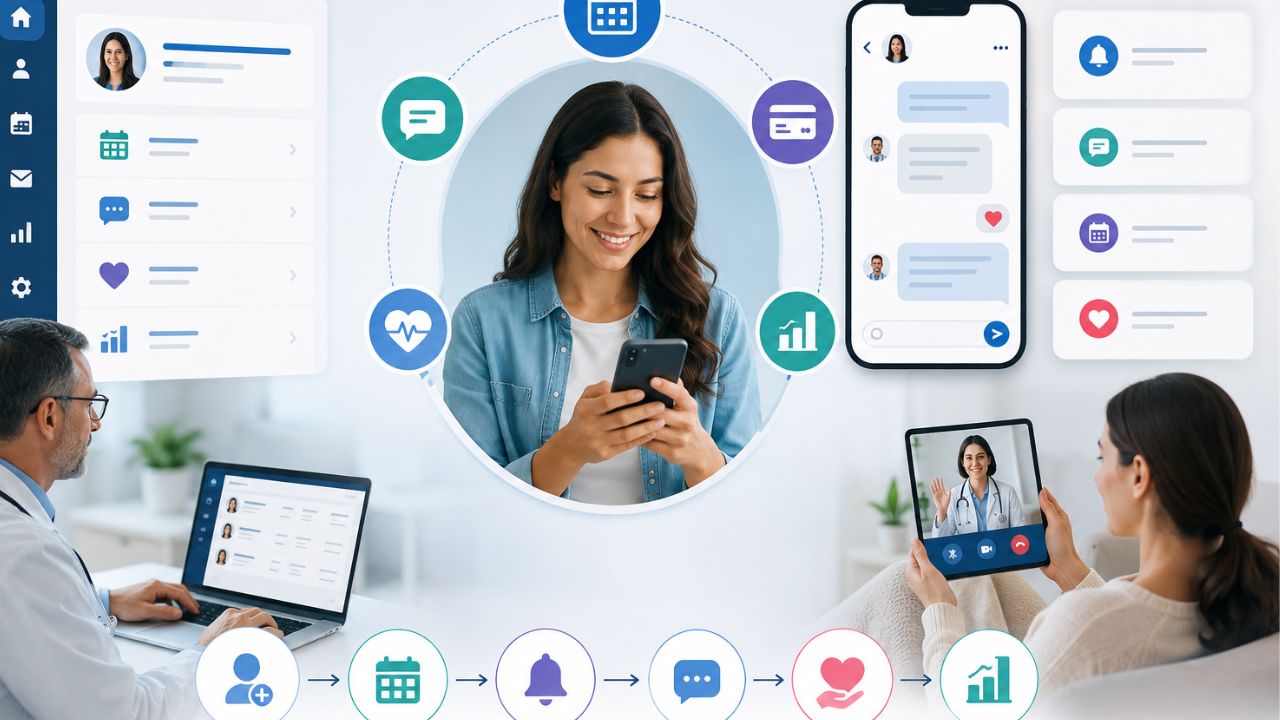
Patient engagement software changes the way that a practice can communicate with its patients. It can share updates, send reminders, and make healthcare feel more personal. In a busy hospital, effective communication improves trust and satisfaction. The truth is that many patients want constant monitoring from their doctors. Also, medical practitioners need a simple way to communicate with patients.
However, good engagement does more than sending messages. It supports follow-ups and builds relationships between patients and their healthcare teams.
Patient Portal vs. EHR vs. Patient Engagement Software
You may be familiar with a patient portal or an Electronic Health Record (EHR) system, but they serve different purposes.
Patient Portal
A patient portal is mainly for patients. They can:
- View their health records
- Check lab results
- See appointment details
- Message their provider in some cases
EHR
An EHR is built for healthcare workers. It stores clinical data and supports documentation. Also, it helps healthcare teams manage patient information better.
Patient Engagement Software
This one helps medical practices:
- Manage schedules
- Send appointment reminders
- Enable two-way messaging
- Collect online forms
- Gather patient feedback
What Patient Engagement Software Does
This solution gives medical teams a platform to handle reminders, online forms, messaging, and follow-up workflows through a cloud-based system. With the right solution, medical practices can reduce phone calls, cut down wait times, and free staff from repetitive administrative work.
Patients benefit as well. They can confirm appointments, complete intake forms online, receive timely reminders, and stay connected to their care team.
The point here is that patient portals and EHRs manage access to information, while patient engagement software improves communication, workflow, and patient experience.
Who Benefits Most?
The software can be used across these healthcare facilities:
- Primary care practices
- Specialty clinics
- Large, multi-site healthcare organizations
- Independent providers
- High-volume offices that need stronger workflow support
Note that this software doesn’t replace your EHR. Instead, they work together to improve the patient experience and reduce workload.
For example, it can reduce no-shows. It sends automated appointment reminders and allows patients to complete intake forms before they arrive.
Why Should You Care?
If your facility always has overflowing phone lines, low portal adoption, or staff burnout, the patient engagement software can ease the pressure.
It can:
- Cut down no-shows
- Speed up patient intake
- Reduce the workload on your team
- Improve communication with patients
- Support HIPAA and TCPA compliance
Signs It’s Time for a New Solution
A strong patient engagement platform should make life easier for both your staff and your patients. Watch for these warning signs:
High no-show rates
When patients miss appointments all the time, it can affect revenue.
Long hold times
If patients are constantly waiting to speak with someone, your team feels the pressure too.
Filling form challenges
Paper forms and manual check-ins slow everything down and leave more room for mistakes.
Low portal adoption
If patients aren’t using your online portal, you’re missing a simple way to improve communication and scheduling.
Staff burnout
When your team spends too much time handling routine calls or tracking down paperwork, it means the system is not working the way it should.
Must-Have Features for Every Platform
Secure Two-Way Texting
Many patients already prefer texting over phone calls, so your platform should make that easy, but safe. The key is to ensure that every message is HIPAA-compliant and sent with TCPA consent in place. With two-way texting, your team can confirm appointments and answer quick questions.
Automated Appointment Reminders
Automated reminders is essential especially when patients miss their appointments often. The best platforms allow you to send reminders via text or email.
In addition, it gives you control over timing, message content, and delivery settings. That flexibility helps you match the system to your clinic’s workflow instead of forcing your team to adjust to rigid software.
Online Intake Forms with E-Signature
Paper forms create delays, add extra work, and leave room for errors. Digital intake forms solve that when patients complete and sign everything before arrival.
Self-Scheduling Options
Giving patients the ability to book or reschedule appointments online. It cuts down on phone calls, gives patients more control, and fits into their busy schedules. Integrating EHR, can prevent double bookings and keep everything in sync.
Patient Review Collection Tools
Positive patient reviews can do a lot for your clinic’s reputation. With automated review requests sent after visits, it encourages satisfied patients to share their experiences on platforms like Google or Healthgrades.
Integration: How to Make It Work With Your EHR and PM
When dealing with patient no-shows, slow intake, and staff burnout, the last thing you need is a patient engagement platform that doesn’t connect easily with your existing EHR (Electronic Health Record) and PM (Practice Management) systems.
A strong integration should connect smoothly. That means appointment schedules, patient demographics, and clinical data can sync automatically, without creating extra work for your team.
Even more complex systems can be supported, as long as the platform is built with interoperability in mind.
What to Check Before You Commit
- Verify compatibility with your specific EHR and PM systems
- Request a live demo that shows the integration working in real time
- Ask for references from clinics using the same or similar systems
- Doing this upfront homework can save your team from manual workarounds, data errors, and wasted time.
Patient Engagement Software: Top Platforms for Modern Practices
This software reduces administrative tasks and creates a smooth patient experience. Below are four leading platforms:
OhMD Patient Engagement Software
Best for: Small-to-mid practices using AI voice and text agents to lower phone volume.
OhMD helps practices reduce front-desk workload by automating patient communication through text and voice. It is especially valuable for teams that want to cut down on repetitive phone calls while maintaining responsive, patient-friendly communication.
Features
- AI voice agents that handle common patient calls
- Text messaging automation for reminders and follow-ups
- Two-way communication between staff and patients
- Broadcast messaging for updates, alerts, and announcements
- Care coordination tools to support ongoing patient communication
Uses
- Reducing inbound phone calls to the front desk
- Sending appointment reminders and confirmations
- Handling routine patient questions
- Sharing practice updates and instructions
- Improving response times without adding staff workload
Phreesia Patient Engagement Software
Best for: Streamlining digital check-in, registration, and payment collections.
Phreesia focuses on automating the patient intake process. It helps practices get rid of paper forms and improve revenue collection.
Features
- Digital patient check-in
- Online registration forms
- Automated consent collection
- Payment processing and collections
- Eligibility and intake workflow support
Uses
- Collecting patient information before the visit
- Simplifying front-desk intake
- Reducing paper-based registration
- Improving payment collection at the point of service
- Shortening wait times in the waiting room
NexHealth
Best for: Real-time EHR sync and scheduling
NexHealth is built for practices that need easy scheduling and live synchronization with EHR systems.
It keeps appointment availability, patient data, and communication across systems. This reduces double entry and scheduling errors.
Features
- Real-time EHR synchronization
- Online scheduling tools
- Automated appointment reminders
- Patient forms and intake
- Calendar and booking integration
Uses
- Allow patients to book appointments online
- Keep schedules updated instantly across systems
- Reduces manual data entry
- Streamlines intake workflows
- Improves appointment access and convenience
Luma Health
Best for: Larger clinics and health systems managing waitlists and referral workflows
Luma Health is perfect for organizations that have complex patient access needs. It supports advanced scheduling, referral tracking, and waitlist management.
Also, it is useful for systems that handle high patient volume and multiple departments.
Features
- Waitlist management
- Referral workflow automation
- Appointment access tools
- Patient communication tool
- Care gap and follow-up management
Uses
- Filling last-minute cancellations quickly
- Managing specialist referrals more efficiently
- Coordinating care across departments
- Improving access for high-volume clinics
Quick Comparison
- Best for AI-driven call reduction: OhMD
- Best for intake and payments: Phreesia
- Best for real-time scheduling sync: NexHealth
- Best for enterprise workflow management: Luma Health
Vendor Pricing Model Feature Depth Integration Style
OhMD Per user/provider, with messaging tiers Core messaging and scheduling tools Direct API
Phreesia Per patient or per visit Intake, payments, and analytics Middleware + API
Luma Health Custom pricing based on provider count Scheduling, reminders, and patient engagement tools API + Middleware
NexHealth Custom pricing based on provider needs and feature set Patient access, scheduling, and automation features API-based integration
Security and Compliance in Patient Engagement Software
When it comes to patient engagement software, security and compliance are not optional. The right platform should help your clinic protect patient information, communicate responsibly, and stay on the right side of the law.
HIPAA stands for the Health Insurance Portability and Accountability Act. It sets the standard for protecting patient health information.
If you use a software vendor that has access to patient data, they must sign a Business Associate Agreement (BAA).
This agreement makes it clear that the vendor is legally responsible for safeguarding that information and handling it properly.
Then there’s TCPA, which governs text messaging and phone communication. Under TCPA rules, patients must permit receiving automated texts or calls.
In practice, that means your software should make it easy to collect consent during registration, a web form, or at the first point of contact. In addition, the platform should keep detailed audit logs.
Your clinic also plays a vital role. Even the best software won’t protect you if the staff does not get the proper training.
Make sure your team understands:
- When consent is required
- How to document it properly
- Which communication channels are secure and approved
- What should never be sent through unsecured messaging
How to Choose a Patient Engagement Software
The last thing you want is to invest in a system that feels perfect today, only to find out it can’t keep up as your clinic grows or regulations change. The right solution should give you flexibility now and room to expand later.
Here’s what to look for:
Open APIs
Open APIs make it easier to connect with your EHR and other tools. Your systems can work together instead of creating more work for your team.
Ask the vendor: Can your platform integrate with Practice or OhMD?
Modular Architecture
You can add or remove features. That means you can start with the basics and expand later.
Ask the vendor: Can I remove or add if need be?
Strong Vendor Support
You should go for a vendor current with compliance updates.
How often do you update for HIPAA and TCPA? Ask your vendor.
Cloud-Based Platform
A cloud-based solution gives your team access from anywhere and makes updates much easier to manage. It also adds flexibility if your practice grows or your workflow changes.
Is your solution cloud-hosted for flexibility? Choose a platform that can grow with your clinic and adapt to regulations.
Read also: Cloud Computing in Healthcare: Applications and Benefits
Final Thoughts on Patient Engagement Software
When patients feel connected, informed, and involved, they are more likely to stay committed and confident in the process. That’s where patient engagement software can make a big difference.
It allows routine care to be a more individualized and responsive experience.
Some tools can help medics communicate with patients efficiently, reduce no-shows, and keep patients engaged. And it doesn’t require additional work from your team.
If your goals are to improve patient communication and outcomes, now is the time to get any of the listed solutions for your practice.
-
 Wearable Health9 months ago
Best Portable Health Monitoring Devices for Travelers (Compact and Reliable)
-

 Diagnostic & Hospital Equipments8 months ago
Blood Pressure Monitor Problems: Common Errors and How to Fix Them
-

 Review and guides9 months ago
CPAP Machines Buying Guide: The Best Models Doctors Don’t Recommend
-

 Wearable Health8 months ago
How to Get Accurate Heart Rate Readings from Wearables (Best devices compared)
-
 Diagnostic & Hospital Equipments5 months ago
Top Professional Syringe Infusion Pumps for ICU Setups
-
 Wearable Health8 months ago
Best Smartwatches for Health Tracking: Features that Actually Matter
-
 Diagnostic & Hospital Equipments5 months ago
Best Surgical Microscopes for Precision Procedures (Top Brands)
-
 Home and selfcare9 months ago
Portable vs. Tabletop Nebulizers: Which is Better for Home Use